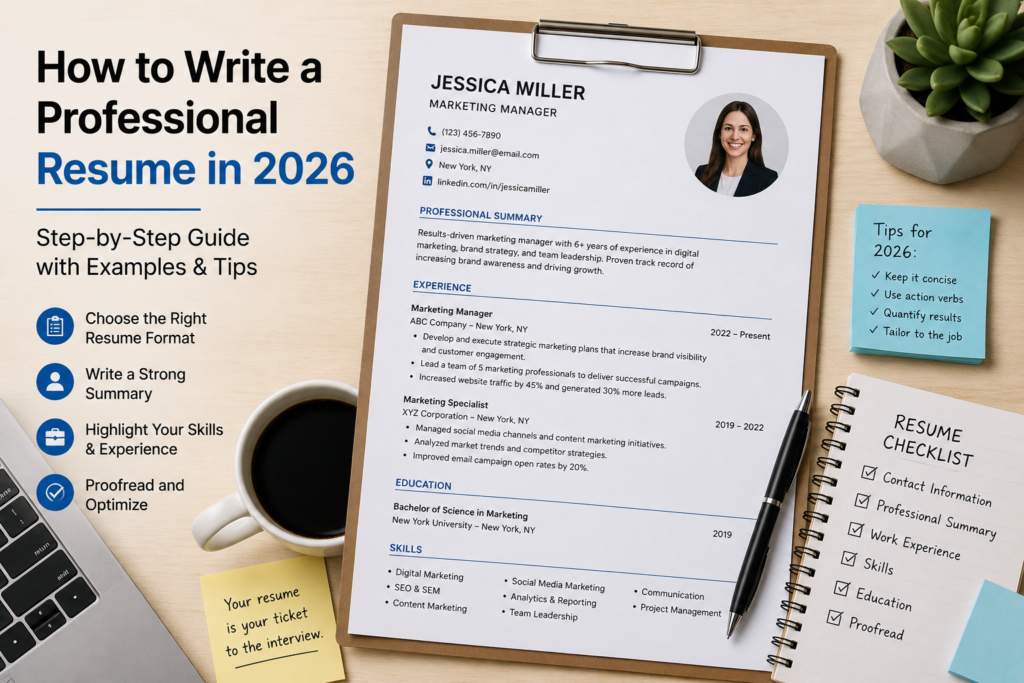
how to write a professional resume in 2026 with examples and tips
    Free Resume Summary Generator
    ✦ Free Tool

    Free Resume Summary Generator

    Create ATS-friendly professional resume summaries instantly. No sign-up required.

    Resume Details
    Your Resume Summary

    `);win.document.close();win.print();}

    How to Write a Professional Resume in 2026

    If you’ve been staring at a blank document wondering where to even begin, you’re not alone — and knowing how to write a professional resume in 2026 is more important than ever as hiring processes grow faster, more competitive, and increasingly AI-assisted. The job market has shifted dramatically, and a resume that worked three years ago may not even survive the applicant tracking system (ATS) today, let alone impress a hiring manager.

    In this guide, you’ll find everything you need to craft a resume that actually gets results: a ready-to-use template, a real-world example, a step-by-step writing breakdown, and the most common mistakes people make without realizing it. Whether you’re switching careers, entering the workforce for the first time, or simply updating an old resume, this guide is built to help you present yourself with confidence and clarity.

    What Is a Professional Resume?

    A professional resume is a structured document that summarizes your work experience, skills, education, and achievements in a way that’s relevant to the job you’re applying for. It’s not just a list of places you’ve worked — it’s a strategic marketing document designed to demonstrate that you’re the right person for a specific role. In 2026, that means balancing clean formatting with keyword optimization, human personality with quantifiable results.

    Modern resumes typically fall into three formats: chronological (most common), functional (skills-focused), or hybrid (a blend of both). For most professionals, the hybrid or chronological format performs best because it’s both ATS-friendly and easy for human reviewers to scan quickly. Knowing how to write a professional resume in 2026 means understanding that both machines and people will read it — and you need to impress both.

    When Should You Use a Professional Resume?

    A polished, well-structured resume is your first impression in almost every professional context. Here are the situations where having a strong one is non-negotiable:

      • Applying for a new job — Whether it’s your first role or a senior position, every application requires a tailored resume that speaks to that specific employer.


      • Seeking a promotion internally — Many companies ask for updated resumes when employees apply for internal opportunities, even if you’ve worked there for years.


      • Changing careers or industries — A resume restructured around transferable skills is essential when pivoting into a new field.


      • Freelancing or contract work — Clients and agencies frequently request a resume or portfolio-style CV before committing to a project.


      • Graduate school or academic programs — Academic applications often require a resume or CV alongside transcripts and personal statements.


      • Networking and professional events — Having an updated resume ready for career fairs, LinkedIn connections, or industry events keeps you prepared for unexpected opportunities.
      • To strengthen your professional presence, see LinkedIn’s career profile guide is an excellent additional resource.

    Professional Resume Template

    Use this clean, ATS-friendly template as your starting point. Replace all placeholder text with your own details:

    [Your Full Name]
    [City, State] | [Phone Number] | [Email Address] | [LinkedIn URL]

    Professional Summary
    Results-driven [Job Title] with [X] years of experience in [Industry/Field]. Proven track record of [Key Achievement]. Skilled in [Core Skill 1], [Core Skill 2], and [Core Skill 3]. Seeking to bring expertise to [Target Company Name] as a [Target Role].

    Work Experience

    [Job Title] | [Company Name] | [City, State] | [Start Date] – [End Date]
    • Achieved [specific result] by implementing [action/strategy], resulting in [quantified outcome].
    • Managed [responsibility] across [scope], improving [metric] by [percentage or number].
    • Collaborated with [team/department] to deliver [project/goal] on time and within budget.

    [Previous Job Title] | [Company Name] | [City, State] | [Start Date] – [End Date]
    • [Achievement-focused bullet point with measurable result]
    • [Achievement-focused bullet point with measurable result]

    Education
    [Degree Title] in [Field of Study] | [University Name] | [Graduation Year]

    Skills
    [Skill 1] | [Skill 2] | [Skill 3] | [Skill 4] | [Skill 5] | [Skill 6]

    Certifications (if applicable)
    [Certification Name] | [Issuing Organization] | [Year]

    Professional Resume Example

    Here’s a fully written example for a marketing professional so you can see how the template translates into a real document:

    Jordan Ellis
    Austin, TX | (512) 555-0198 | jordan.ellis@email.com | linkedin.com/in/jordanellis

    Professional Summary
    Dynamic Digital Marketing Manager with 6 years of experience driving brand growth in the SaaS industry. Consistently exceeded campaign performance targets by 30% or more through data-driven strategies and cross-functional collaboration. Skilled in SEO, paid media, and content strategy. Looking to bring proven expertise to a fast-scaling tech company in a senior marketing leadership role.

    Work Experience

    Digital Marketing Manager | BrightPath Software | Austin, TX | March 2021 – Present
    • Grew organic website traffic by 145% in 18 months through a comprehensive SEO overhaul and content calendar initiative.
    • Managed $400K annual paid media budget across Google Ads and LinkedIn, achieving a 3.8x return on ad spend.
    • Led a team of 4 marketing specialists and coordinated campaigns with sales, product, and design departments.

    Marketing Specialist | NovaTech Solutions | Dallas, TX | June 2018 – February 2021
    • Developed email marketing sequences that increased lead-to-customer conversion rate by 22%.
    • Produced 40+ long-form content pieces per year, contributing to a 60% increase in blog-driven pipeline revenue.

    Education
    Bachelor of Science in Marketing | University of Texas at Austin | 2018

    Skills
    SEO Strategy | Google Ads | HubSpot | Content Marketing | Data Analytics | Team Leadership

    Certifications
    Google Ads Certification | Google | 2024
    HubSpot Content Marketing Certification | HubSpot Academy | 2023

    How to Write a Professional Resume: Step-by-Step

    Understanding how to write a professional resume in 2026 isn’t about memorizing a formula — it’s about making intentional decisions at every stage of the writing process. Here’s how to do it right.

    Step 1: Research the Role and Tailor Your Resume

    Before writing a single word, read the job description carefully and highlight the key skills, qualifications, and language the employer uses. Then mirror that language in your resume. ATS systems are programmed to scan for specific keywords, and hiring managers are trained to look for alignment between your experience and their needs. A generic resume sent to 50 jobs will almost always underperform a targeted resume sent to 10.

    Step 2: Write a Compelling Professional Summary

    Your professional summary sits at the top of your resume and serves as a 3–4 sentence elevator pitch. It should tell the reader who you are professionally, what you’re best at, and what kind of role you’re seeking — all without being vague or overly generic. Avoid lines like “hardworking team player seeking opportunities.” Instead, be specific: name your industry, your biggest accomplishment type, and your career direction. This section is often the only part a recruiter reads before deciding whether to continue.

    Step 3: Build Achievement-Focused Work Experience Bullets

    This is where most resumes fall flat. Instead of listing job duties, write accomplishment statements that follow the formula: Action Verb + Task + Result. For example, instead of “Responsible for social media accounts,” write “Grew Instagram following from 2,000 to 18,000 in 12 months through a targeted content and engagement strategy.” Quantify wherever you can — numbers, percentages, revenue figures, and timeframes all add weight and credibility to your claims.

    Step 4: Format for Readability and ATS Compatibility

    In 2026, your resume will almost certainly pass through an ATS before a human sees it. That means avoiding tables, headers, footers, text boxes, images, and unusual fonts that can confuse automated systems. Stick to standard section headings like “Work Experience,” “Education,” and “Skills.” Use a clean, single-column layout with consistent font sizes — typically 10–12pt for body text and 14–16pt for your name. White space is your friend; don’t cram everything onto one page if it compromises clarity.

    Step 5: Proofread, Refine, and Get Feedback

    Even minor errors — a typo, inconsistent formatting, or a misused word — can signal carelessness to a hiring manager. Read your resume aloud to catch awkward phrasing, then run it through a spelling and grammar tool. Better yet, ask a trusted colleague or mentor to review it. Fresh eyes almost always catch something you’ve missed. If possible, also use a free ATS checker tool to see how your resume scores before submitting it.

    What to Include in a Professional Resume

    Not every section carries equal weight. Here’s a breakdown of what belongs on a strong resume and how critical each element is:

    ElementRequired?Notes
    Professional SummaryHighly RecommendedReplaces the outdated “Objective Statement”; should be tailored to each role
    Work ExperienceYesList in reverse chronological order; focus on achievements, not just duties
    EducationYesInclude degree, institution, and graduation year; GPA optional unless recent graduate
    Skills SectionYesInclude both hard and soft skills; mirror language from the job description
    Certifications and AwardsSituationalInclude if relevant to the target role; especially valuable in technical or regulated fields

    Common Mistakes to Avoid

    Even well-intentioned resumes get overlooked because of avoidable errors. Watch out for these:

      • Generic summaries — Writing a vague opening like “dedicated professional with strong communication skills” tells employers nothing meaningful about you.


      • Duty-focused bullets — Listing what you were responsible for instead of what you actually accomplished makes your resume forgettable.


      • One-size-fits-all approach — Sending the same resume to every job without tailoring it is one of the most common and costly mistakes candidates make.


      • Poor formatting choices — Fancy graphics, columns, and unusual fonts may look creative but often break ATS parsing and confuse recruiters.


      • Including irrelevant information — Adding hobbies, outdated jobs from 15+ years ago, or personal details like age and marital status wastes valuable space.


      • Skipping proofreading — Typos and grammatical errors undermine your professionalism immediately, no matter how strong your experience is.

    Related Guides and Tools