
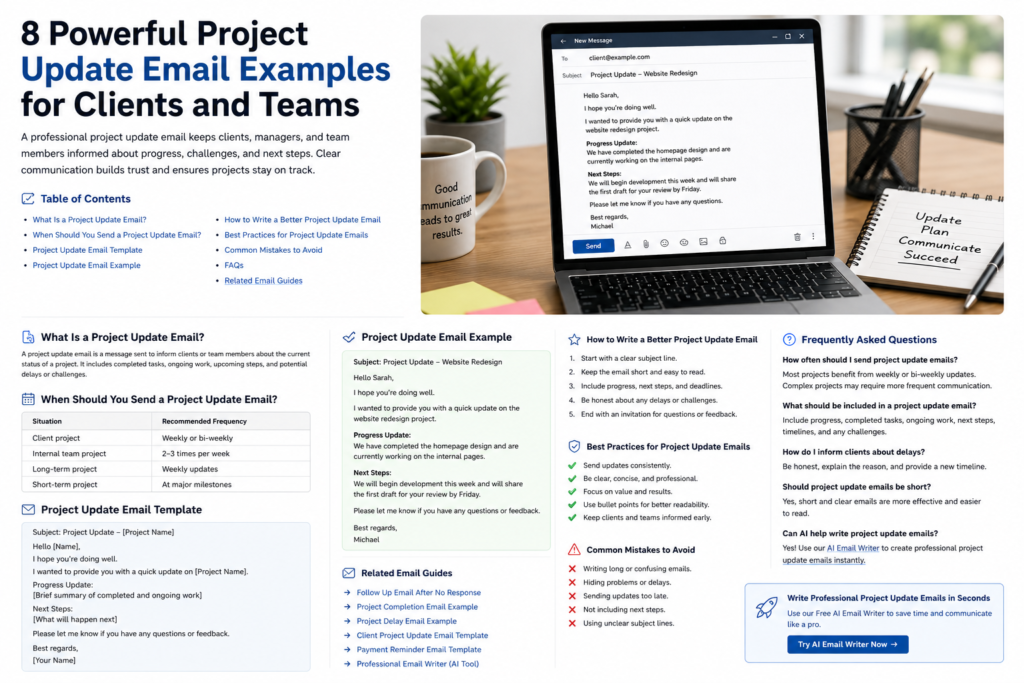
Project Update Email Example
A professional project update email example helps businesses, freelancers, agencies, consultants, and project managers communicate project progress clearly with clients and team members.

Clear communication keeps projects organized, improves trust, reduces confusion, and helps everyone stay informed about deadlines, completed work, and next steps.
What Is a Project Update Email?
A project update email is a professional message used to share the current status of a project. These emails often include completed tasks, ongoing work, upcoming deadlines, blockers, and next steps.
Project update emails are commonly used by:
- Project managers
- Marketing agencies
- Freelancers
- Developers
- Consultants
- Remote teams
- Business owners
Why Project Update Emails Matter
- Improve communication
- Keep clients informed
- Reduce misunderstandings
- Improve accountability
- Build trust and professionalism
- Help projects stay on schedule
When Should You Send a Project Update Email?
| Situation | Recommended Frequency |
|---|---|
| Client project | Weekly or bi-weekly |
| Internal team project | 2–3 times per week |
| Long-term project | Weekly updates |
| Short-term project | At major milestones |
Professional Project Update Email Template
Subject: Project Update – [Project Name]
Hello [Name],
I hope you’re doing well.
I wanted to provide you with a quick update regarding [Project Name].
Progress Update:
- [Completed task]
- [Ongoing work]
- [Current milestone]
Next Steps:
- [Upcoming work]
- [Timeline or deadline]
Please let me know if you have any questions or feedback.
Best regards,
[Your Name]
Project Update Email Example
Subject: Project Update – Website Redesign
Hello Sarah,
I hope you’re doing well.
I wanted to provide you with a quick update on the website redesign project.
Progress Update:
- Homepage redesign completed
- SEO optimization updates implemented
- Internal page structure finalized
- Mobile responsiveness improvements added
Next Steps:
- Finalize contact page design
- Complete speed optimization
- Publish updated blog structure
We expect to complete the remaining work by Friday.
Please let me know if you have any questions or additional feedback.
Best regards,
Michael
How to Write a Better Project Update Email
1. Start With a Clear Subject Line
Use subject lines that explain the purpose of the email immediately.
2. Keep the Email Short
Most project update emails should be concise and easy to scan quickly.
3. Include Progress and Next Steps
Always explain what has been completed and what happens next.
4. Mention Delays Clearly
If there are blockers or delays, communicate them honestly and professionally.
5. End With an Invitation for Feedback
Encourage clients or team members to ask questions if needed.
Best Subject Lines for Project Update Emails
- Project Update – [Project Name]
- Weekly Project Status Update
- Project Progress Report
- Client Project Update
- Project Timeline Update
- Website Project Progress Update
Common Project Update Email Mistakes
- Writing long confusing paragraphs
- Not mentioning next steps
- Ignoring delays or blockers
- Using unclear timelines
- Sending updates inconsistently
- Using vague subject lines
Benefits of Professional Project Communication
- Improves client relationships
- Builds trust
- Keeps projects organized
- Reduces unnecessary meetings
- Improves accountability
- Creates better documentation
Related Professional Email Guides
- Client Project Update Email Template
- Project Completion Email Example
- Project Delay Email Example
- Follow Up Email After No Response
- Payment Reminder Email Template
- Professional Email Writer
Frequently Asked Questions
What should a project update email include?
A project update email should include completed work, ongoing tasks, timelines, blockers, and next steps.
How often should project update emails be sent?
Most projects benefit from weekly or bi-weekly updates depending on complexity.
Should project update emails be short?
Yes. Short and clear project emails are easier to read and understand.
How do you communicate project delays professionally?
Explain the reason clearly, provide an updated timeline, and communicate possible solutions.
Can freelancers send project update emails?
Absolutely. Freelancers often use update emails to improve client communication and professionalism.
Can AI help write project update emails?
Yes. You can use the Professional Email Writer to generate polished project emails instantly.
Final Thoughts
A professional project update email example helps businesses and freelancers communicate progress clearly while improving organization and client trust.
Use the templates and examples above as a starting point, then customize the email based on your project, client, and communication style.
Create Professional Project Emails with Our Free AI Email Writer →