
Project Milestone Update Email (2026): Templates, Examples & Best Practices
Last Updated: June 2026
A professional project milestone update email helps project managers, team leads, consultants, freelancers, agencies, and business owners communicate important project checkpoints clearly. Unlike a general status update, a milestone update focuses on a specific achievement, phase completion, approval point, launch step, or transition moment in the project timeline.
Milestones matter because they show real progress. They help stakeholders understand that a project has moved from one stage to another, that a key deliverable is complete, or that a decision is now needed before the next phase begins. A clear project milestone update email keeps clients, managers, executives, and team members aligned without requiring another meeting.
In this guide, you will find copy-and-paste milestone update templates, milestone completion examples, client milestone emails, executive update formats, subject lines, best practices, common mistakes, pro tips, FAQ, and a complete checklist for sending polished project milestone communication in 2026.
Table of Contents
- Featured Snippet Answer
- AI Overview Answer
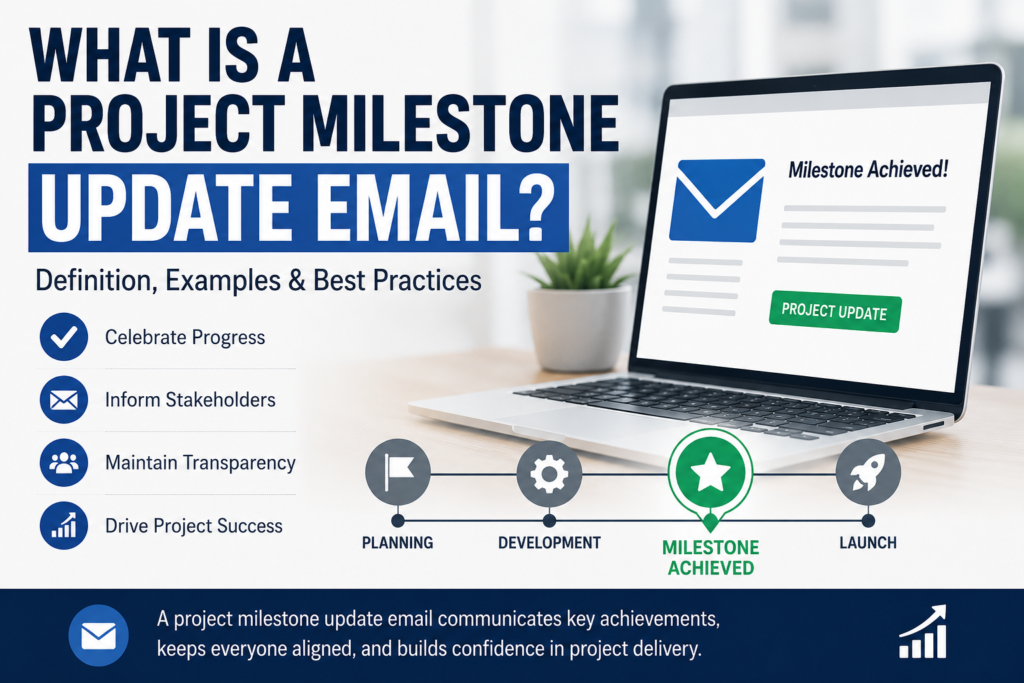
- What Is a Project Milestone Update Email?
- When Should You Send a Milestone Update?
- Milestone Update vs Project Status Update
- What to Include in a Milestone Update Email
- Project Milestone Update Email Template
- Milestone Completion Email Template
- Client Milestone Update Email Template
- Executive Milestone Update Email Template
- Project Phase Completion Email Template
- Real-World Milestone Update Examples
- Best Subject Lines
- Best Practices
- Common Mistakes
- Milestone Update Checklist
- Frequently Asked Questions
- Related Guides and Tools
Featured Snippet Answer
A project milestone update email is a professional message sent when a project reaches an important checkpoint, phase completion, approval point, or deliverable milestone. It should include the milestone name, completion status, date, key result, impact on the project, next steps, owners, and any decision required from stakeholders.
AI Overview Answer
A project milestone update email helps teams and stakeholders understand that a major project checkpoint has been reached. The best milestone emails are short, specific, and action-oriented. They explain what milestone was completed, why it matters, whether the project remains on track, what comes next, and whether client, manager, or executive approval is needed before moving forward.
What Is a Project Milestone Update Email?
A project milestone update email is a structured professional email used to announce, confirm, or explain progress at a major project checkpoint. It is usually sent after a significant deliverable is completed, a project phase ends, an approval is received, testing is finished, a launch step is reached, or a decision point has arrived.
Project milestones are not ordinary tasks. They represent meaningful points in a project timeline. A milestone can mark the end of the planning phase, approval of a design, completion of development, final testing, client acceptance, launch readiness, or project closure.
Unlike a broad project update email example, a milestone update focuses on one specific achievement. It tells stakeholders: this important point has been reached, here is what it means, and here is what happens next.
Who Uses Milestone Update Emails?
- Project managers
- Account managers
- Consultants
- Marketing agencies
- Software development teams
- Construction coordinators
- Freelancers managing client projects
- Product managers
- Operations teams
- Executive assistants supporting strategic initiatives
A good project milestone update email creates clarity at the exact moment when confusion often happens: between one phase and the next.
When Should You Send a Project Milestone Update Email?
You should send a project milestone update email whenever a project reaches a major achievement, decision point, approval stage, or phase transition. This type of email is useful because it documents progress and helps stakeholders understand what action is required next.
Common Milestone Moments
- Project kickoff completed: The team has aligned on goals, scope, responsibilities, and timeline.
- Planning phase completed: Requirements, schedule, and scope have been finalized.
- Design approved: Stakeholders have accepted a visual, technical, or strategic concept.
- Development completed: A product, website, system, or deliverable is ready for testing.
- Testing completed: QA, review, or validation is finished.
- Client approval received: The project can move into the next phase.
- Launch readiness reached: Final assets, systems, or deliverables are prepared.
- Project phase closed: One stage has ended and the next is beginning.
For recurring status reporting, use a Project Status Report Email Template. For monthly communication, use a Monthly Project Update Email Template. For a milestone-specific message, use the templates in this guide.
Project Milestone Update vs Project Status Update
A project milestone update email is different from a regular status update. A status update summarizes ongoing progress, while a milestone update announces or explains a specific project achievement or checkpoint.
| Feature | Project Milestone Update Email | Project Status Update Email |
|---|---|---|
| Purpose | Announces a key checkpoint or achievement | Summarizes ongoing progress |
| Timing | Sent when a milestone is reached | Sent weekly, monthly, or periodically |
| Focus | Milestone result, impact, approval, next phase | Tasks, blockers, progress, next steps |
| Best Audience | Clients, managers, executives, stakeholders | Teams, managers, clients, project stakeholders |
| Typical CTA | Approve next phase, review deliverable, confirm acceptance | Review update, answer question, resolve blocker |
What to Include in a Project Milestone Update Email
A complete project milestone update email should be easy to scan and should clearly explain the milestone, its significance, and what happens next.
| Element | Why It Matters | Example |
|---|---|---|
| Milestone Name | Identifies the checkpoint clearly. | Design Approval Complete |
| Completion Status | Shows whether the milestone is complete, delayed, or at risk. | Completed on June 18 |
| Key Result | Explains what was achieved. | Homepage and product page designs approved |
| Project Impact | Connects the milestone to the bigger project. | Development can begin next week |
| Next Steps | Prevents confusion after the milestone. | Begin front-end build by Monday |
| Approval Needed | Clarifies stakeholder action. | Confirm Phase 2 budget by Friday |
Project Milestone Update Email Template
Use this project milestone update email template when you need to announce that a key project checkpoint has been reached and explain what happens next.
Subject: [Project Name] — Milestone Update: [Milestone Name]
Hi [Recipient Name / Team],
I’m writing to share an update on [Project Name]. We have reached the following milestone:
Milestone: [Milestone Name]
Status: [Completed / At Risk / Delayed]
Completion Date: [Date]
What Was Achieved:
- [Achievement 1]
- [Achievement 2]
- [Achievement 3]
Why This Matters:
[Explain how this milestone affects the project, timeline, client, team, or next phase.]
Next Steps:
- [Next step 1] — Owner: [Name] — Due: [Date]
- [Next step 2] — Owner: [Name] — Due: [Date]
Action Needed: [Approval, confirmation, review, or “No action needed at this time.”]
Thank you to everyone involved in reaching this milestone.
Best regards,
[Your Name]
Milestone Completion Email Template
A milestone completion email confirms that a specific checkpoint has been successfully completed. It should be concise, positive, and clear about the next stage.
Subject: [Project Name] — Milestone Completed: [Milestone Name]
Hi [Recipient Name],
I’m pleased to confirm that we have completed the [Milestone Name] milestone for [Project Name].
Milestone Completed: [Milestone Name]
Completed On: [Date]
Project Status: [On Track / At Risk / Delayed]
Key Outcomes:
- [Outcome 1]
- [Outcome 2]
- [Outcome 3]
This milestone allows us to move into [Next Phase / Next Step].
Next Steps:
- [Next step 1]
- [Next step 2]
Please let me know if you have any questions or would like a more detailed summary.
Best regards,
[Your Name]
Client Milestone Update Email Template
A client-facing project milestone update email should focus on outcomes, reassurance, approval needs, and the next phase. Avoid internal jargon and unnecessary technical detail.
Subject: [Project Name] — Milestone Update for [Client Company]
Dear [Client Name],
I wanted to share a milestone update for [Project Name]. We have completed [Milestone Name], which marks an important step forward in the project.
Completed Milestone: [Milestone Name]
Completion Date: [Date]
Current Project Status: [On Track / At Risk / Delayed]
What This Means:
[Briefly explain the client-facing value of the milestone.]
Completed Deliverables:
- [Deliverable 1]
- [Deliverable 2]
- [Deliverable 3]
Next Phase:
[Explain what happens next and when.]
Action Needed From You: [Approval, feedback, content, decision, or “No action needed.”]
Thank you for your continued collaboration. I will send the next update on [Date].
Kind regards,
[Your Name]
Executive Milestone Update Email Template
An executive milestone email should be short, strategic, and decision-ready. Executives usually want to know whether the milestone was achieved, what business impact it has, what risks remain, and what decision is required.
Subject: Executive Milestone Update — [Project Name]
Hi [Executive Name],
Below is a brief milestone update for [Project Name].
Milestone: [Milestone Name]
Status: [Completed / At Risk / Delayed]
Business Impact: [Brief impact statement]
Summary:
[One short paragraph explaining the milestone result and why it matters.]
Key Results:
- [Result 1]
- [Result 2]
- [Result 3]
Risks / Decisions:
- [Risk or decision needed]
Next Executive Checkpoint: [Date]
Best regards,
[Your Name]
Project Phase Completion Email Template
Use this template when one phase of a project has ended and the team is moving into the next phase.
Subject: [Project Name] — Phase [#] Complete | Next Phase Begins [Date]
Hi Team,
I’m confirming that Phase [#] of [Project Name] is now complete.
Completed Phase: [Phase Name]
Completion Date: [Date]
Overall Project Status: [On Track / At Risk / Delayed]
Completed Work:
- [Completed item 1]
- [Completed item 2]
- [Completed item 3]
Lessons / Notes:
[Optional notes from this phase.]
Next Phase: [Phase Name]
Start Date: [Date]
Next Steps:
- [Next step 1]
- [Next step 2]
Thank you for the work completed in this phase. Please review the next phase plan before [Date].
Best regards,
[Your Name]
Real-World Project Milestone Update Examples
These examples show how a project milestone update email can be adapted for different project types.
Example 1: Software Development Milestone
Subject: Customer Portal — Milestone Completed: QA Testing Finished
Hi Team,
I’m pleased to confirm that QA testing for the Customer Portal project has been completed. This milestone confirms that the core user flows, login process, dashboard functionality, and notification settings have passed final review.
- Status: Completed
- Completed On: June 18
- Next Step: Prepare release candidate for stakeholder review
- Action Needed: Product team to confirm launch readiness by Friday
This keeps the project on track for the planned July launch.
Example 2: Marketing Campaign Milestone
Subject: Q3 Campaign — Creative Approval Milestone Complete
Hi Sarah,
I wanted to share that the creative approval milestone for the Q3 campaign has been completed. All ad visuals, landing page designs, and email graphics have been reviewed and approved.
This means we can now move into campaign setup and scheduling. The next milestone is final media plan approval by June 24.
No action is needed from you today, but I will send a scheduling update once the campaign calendar is finalized.
Example 3: Client Website Project Milestone
Subject: Website Redesign — Design Phase Complete
Dear [Client Name],
I’m happy to confirm that the design phase of your website redesign project is complete. The approved homepage, services page, and contact page designs are now ready for development.
The project remains on track. Our next step is front-end development, which begins on Monday and is expected to take approximately two weeks.
Please confirm that we are approved to proceed into development.
Example 4: Consulting Project Milestone
Subject: Operations Review — Phase 1 Milestone Complete
Hi [Client Name],
We have completed Phase 1 of the operations review. This milestone includes stakeholder interviews, current workflow documentation, and preliminary bottleneck analysis.
The next phase will focus on recommendations and implementation planning. I will send the draft findings report by Thursday for your review.
Best Subject Lines for Project Milestone Update Emails
- [Project Name] — Milestone Update: [Milestone Name]
- [Project Name] — Milestone Completed
- [Project Name] — Phase [#] Complete
- Milestone Completed: [Deliverable Name]
- [Project Name] — Client Approval Milestone Reached
- [Project Name] — Development Phase Complete
- [Project Name] — Testing Milestone Complete
- [Project Name] — Launch Readiness Milestone
- Executive Milestone Update — [Project Name]
- [Project Name] — Next Phase Begins [Date]
- Action Needed: Milestone Approval for [Project Name]
- [Project Name] — Key Project Checkpoint Reached
Best Practices for Project Milestone Update Emails
- Use the project name and milestone name in the subject line.
- State the milestone status near the top.
- Explain what was achieved in plain language.
- Connect the milestone to the broader project timeline.
- Include actual completion dates when possible.
- Separate completed work from next steps.
- Clarify whether approval is needed.
- Use a positive but professional tone.
- Avoid turning the email into a full status report.
- Thank team members or stakeholders when appropriate.
For broader communication, use Project Status Report Email Template. For client-facing milestone communication, also link to Client Project Update Email Template.
Common Mistakes to Avoid
Common mistakes include being too vague, failing to explain the milestone’s impact, omitting next steps, and not asking for approval when approval is required.
| Mistake | Why It Hurts | Better Approach |
|---|---|---|
| Saying “milestone complete” without details | Stakeholders do not know what changed. | Explain what was completed and why it matters. |
| Forgetting next steps | The project may stall after the milestone. | List the next phase, owner, and deadline. |
| Using too much technical language | Clients or executives may miss the point. | Use plain-language outcomes. |
| Not requesting approval | Decision-makers may not act. | State exactly what approval is needed. |
| Mixing multiple milestones | The update becomes confusing. | Focus on one major milestone per email. |
Pro Tips for Better Milestone Communication
- Send milestone emails immediately after confirmation, not days later.
- Use milestone updates to reinforce progress and confidence.
- Include links to deliverables when relevant.
- Call out dependencies that affect the next phase.
- Use executive summaries for senior stakeholders.
- For clients, explain business value instead of internal process.
- For teams, include owners and deadlines.
- When a milestone is delayed, send a separate Project Delay Email Example.
Project Milestone Update Email Checklist
Before sending your project milestone update email, review this checklist.
| Checklist Item | Done? |
|---|---|
| Project name included | Yes / No |
| Milestone name included | Yes / No |
| Completion status stated clearly | Yes / No |
| Completion date included | Yes / No |
| Milestone impact explained | Yes / No |
| Next steps listed | Yes / No |
| Approval request included if needed | Yes / No |
| Tone is professional and positive | Yes / No |
Project Milestone Email Summary Table
| Email Type | Best For | Main CTA |
|---|---|---|
| Milestone Update | General milestone communication | Review next steps |
| Milestone Completion | Confirmed completion | Acknowledge completion |
| Client Milestone Update | Client-facing projects | Approve next phase |
| Executive Milestone Update | Leadership reporting | Confirm decision |
| Phase Completion Email | Transition between phases | Prepare for next phase |
Expert Insight
Milestone communication is powerful because it translates project activity into visible progress. Stakeholders may not follow every task, but they understand checkpoints such as “design approved,” “testing complete,” “launch ready,” or “phase one finished.” A strong project milestone update email turns those checkpoints into clear business communication.
Practical Recommendation
Create a standard milestone update format for every active project. Use the same sections each time: milestone name, status, completed work, impact, next steps, and approval needed. This gives stakeholders a familiar structure and reduces confusion when projects move between phases.
Sources
Frequently Asked Questions
What is a project milestone update email?
A project milestone update email is a professional message sent when a project reaches an important checkpoint, deliverable, approval point, or phase completion. It explains what milestone was reached, why it matters, and what happens next.
When should I send a project milestone update email?
Send a milestone update when a key deliverable is completed, a phase ends, stakeholder approval is received, testing is finished, launch readiness is reached, or the project moves into a new stage.
What should a milestone update email include?
It should include the project name, milestone name, status, completion date, key results, project impact, next steps, owners, deadlines, and any approval or decision needed.
How is a milestone update different from a status report?
A milestone update focuses on one specific checkpoint or achievement. A status report summarizes overall project health, progress, risks, blockers, and upcoming priorities over a reporting period.
What is a good subject line for a milestone update email?
A good subject line includes the project name and milestone. Example: “Website Redesign — Milestone Completed: Design Approval.”
Should milestone update emails go to clients?
Yes. Client milestone updates are useful because they show visible progress, build confidence, and clarify when client approval or feedback is needed before the next phase begins.
Can I send a milestone update if the milestone is delayed?
Yes, but the email should clearly explain the delay, impact, revised date, and recovery plan. If the delay is significant, use a dedicated project delay email.
How long should a project milestone update email be?
Most milestone update emails should be 150 to 300 words. Executive versions should be shorter, while client-facing versions may include more context if approval is needed.
Can AI help write project milestone update emails?
Yes. AI can help structure milestone updates, summarize completed work, improve tone, and create a polished draft. Always review project details, dates, owners, and approvals before sending.
What is the best format for a milestone completion email?
The best format includes subject line, greeting, milestone name, completion status, completion date, key outcomes, project impact, next steps, and closing. Add approval requests when needed.
Create Project Milestone Emails Faster
Need a custom project milestone update email for your client, team, manager, or executive stakeholder? Use the InstantDocsAI Professional Email Writer to generate project milestone updates, completion emails, client updates, and project communication emails in seconds.
Final Thoughts
A strong project milestone update email helps teams, clients, managers, and executives understand meaningful project progress. It confirms what has been achieved, explains why the milestone matters, and keeps the next phase moving forward.
Use the templates and examples in this guide whenever a project reaches a major checkpoint, phase completion, approval stage, testing milestone, launch preparation step, or client deliverable. The clearer your milestone communication is, the easier it becomes to maintain trust, momentum, and stakeholder alignment.