
Project Update Email (2026): Templates & Thread Examples
Last Updated: July 2026
If people have to read your update twice to find the status, owner, or deadline, the email is doing too much. A useful project update email should answer five questions quickly: Where are we now? What changed? What happens next? Is anything blocked? Who needs to act?
This guide includes copy-ready templates for teams and clients, a realistic remote-work email thread, short status updates, subject lines, and examples for situations where the project is on track, waiting on approval, or at risk. If you just need a format to fill in, jump to the project update email template. If you want to see how the conversation continues after the first message, go to the sample professional email thread.
Table of Contents
- Quick Answer
- What Is a Project Update Email?
- When to Send a Project Update Email
- What to Include in a Project Update Email
- How to Write a Professional Project Update Email to Your Team
- Professional Project Update Email Template
- Team Project Update Email Example
- Client Project Update Email Example
- Weekly Progress Update Email Example
- Professional but Warm Project Update Email
- Remote Team Project Update Email Example
- Sample Professional Email Thread
- Project Status Email for Managers
- How to Ask for a Project Status Update Politely
- Use AI to Write Project Update Emails
- Short Project Update Email Example
- Best Practices
- Common Mistakes
- Frequently Asked Questions
Want to Write Professional Emails Faster?
Try our free AI Professional Email Writer and create polished project update emails in seconds.
Try the Free AI Professional Email WriterQuick Answer: How Do You Write a Project Update Email?
- Start with the current project status.
- List completed tasks and key accomplishments.
- Explain this week’s priorities or next steps.
- Mention blockers, risks, or support needed.
- Assign ownership and deadlines clearly.
- End with a simple call to action or encouraging note.
Before You Copy a Template: Match the Update to the Situation
| Situation | What the Reader Needs Most | Best Style |
|---|---|---|
| Project is on track | Progress, next milestone, ownership | Short and structured |
| Waiting on client approval | Exactly what is blocked and what decision is needed | Direct, with one clear call to action |
| Deadline is at risk | Risk, impact, mitigation, next update date | Calm and specific |
| Remote team needs alignment | Owners, dates, blockers, where replies belong | Easy to scan asynchronously |
Editorial example: “We’re making good progress and should finish soon” sounds positive but gives the reader nothing to act on. “Design is complete; QA starts Tuesday; launch remains Friday; we are waiting on legal approval by Wednesday” is shorter, clearer, and more useful.
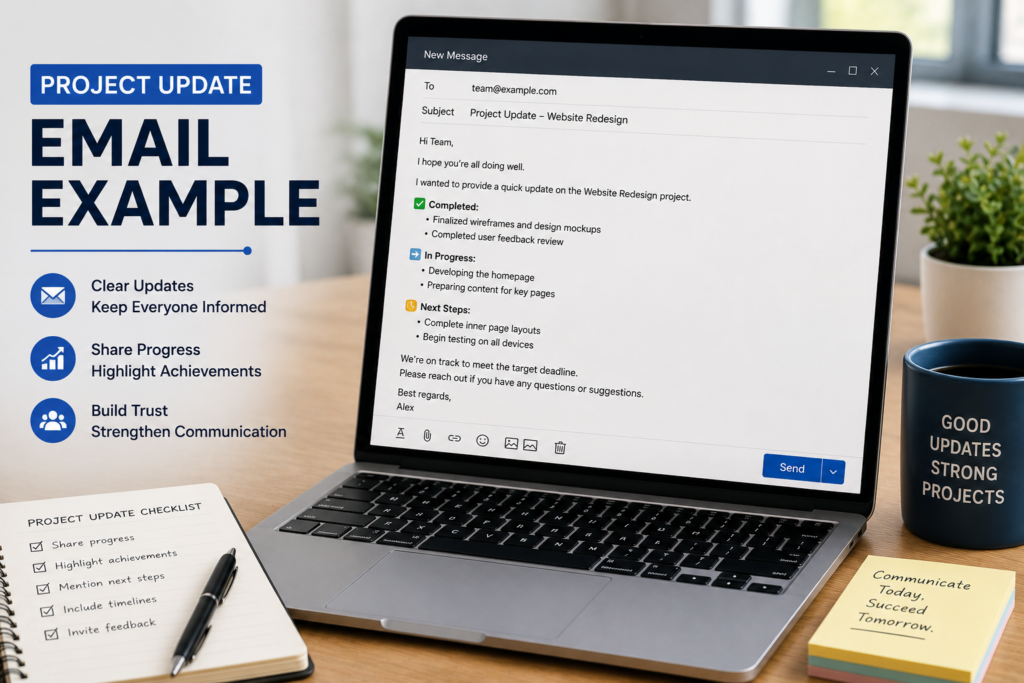
What Is a Project Update Email?
A project update email is a professional message that summarizes the current status of a project. It tells your team, manager, client, or stakeholder what has been completed, what is coming next, and whether there are blockers or risks that need attention.
A good project update email is not a long report. It is a clear snapshot that helps people understand progress quickly. The best updates are short, structured, and easy to scan on both desktop and mobile.
For remote and hybrid teams, project update emails are even more important because people may work in different locations, time zones, and schedules. A clear update can replace unnecessary meetings and keep everyone moving in the same direction.
When to Send a Project Update Email to Your Team
You do not need to send a project update email every day unless the project is urgent or changing fast. Most teams benefit from a weekly project update, plus extra updates after major milestones or when risks appear.
- Weekly status updates to your team or manager
- After a key milestone is completed
- When there is a delay, blocker, or risk
- Before or after a client meeting
- At the start or end of a project phase
- When remote teams need async communication
- When stakeholders need visibility without a meeting
What to Include in a Project Update Email
Every effective project update email example contains a few core elements. These sections help readers understand progress, responsibilities, deadlines, and next steps.
| Element | What to Write |
|---|---|
| Subject line | Clear, specific, and includes the project name |
| Current status | On track, at risk, delayed, or completed |
| Completed tasks | What was done since the last update |
| Next priorities | What happens next, who owns it, and the deadline |
| Blockers or risks | Anything that could delay progress |
| Support needed | What you need from the reader or team |
How to Write a Professional Project Update Email to Your Team
Knowing how to write a professional project update email to your team is an important skill for project managers, remote workers, team leads, and workplace professionals. A clear update email keeps everyone aligned, improves accountability, and helps projects move forward without confusion.
The best project update emails follow a simple pattern: status, accomplishments, priorities, blockers, and next steps. This format works because it answers the questions people actually care about.
- What is the current status?
- What has been completed?
- What are we working on next?
- Is anything blocking progress?
- Who needs to do what?
A professional project update email template should also sound human. You can be clear and structured without sounding cold. A short thank-you, recognition note, or encouraging sentence can make your update feel more supportive and less robotic.
Professional Project Update Email Template
This project update email template works for internal teams, remote employees, managers, agencies, and project stakeholders. You can customize it for weekly updates, project status reports, or milestone tracking.
Subject: Weekly Project Update — [Project Name]
Hi Team,
Here is the latest update for [Project Name].
Current Status: ✅ On Track
Completed This Week:
- [Task or milestone completed]
- [Important update or achievement]
- [Completed deliverable]
This Week’s Priorities:
- [Next task] — [Owner] — Due [Date]
- [Upcoming milestone] — [Owner] — Due [Date]
Blockers or Risks: [None currently / Add blocker here]
Support Needed: [Add support request if needed]
Please reply if you have questions or need support.
Best regards,
[Your Name]
Project Update Email Example — Team Update
Use this project update email example for a weekly team status report. It is clear, practical, and easy for everyone to scan.
Subject: Project Update — [Project Name] — Week [Number]
Hi Team,
Here is your weekly update on [Project Name].
Current Status: ✅ On Track
Completed This Week:
- [Task 1 — completed by whom]
- [Task 2 — completed by whom]
- [Task 3 — completed by whom]
Next Steps:
- [Task 4] — [Owner] — Due [Date]
- [Task 5] — [Owner] — Due [Date]
- [Task 6] — [Owner] — Due [Date]
Blockers / Issues: None at this time. Will flag immediately if anything changes.
Reply here or message me directly if you have questions.
Best regards,
[Your Name]
Project Update Email Example — Client Update
Client updates should be less technical and more outcome-focused. A good client project update email builds trust and shows that the project is being managed carefully.
Subject: [Project Name] — Progress Update — [Date]
Dear [Client Name],
I wanted to keep you informed on where things stand with [Project Name].
We have successfully completed [milestone] and are on track to deliver the next phase by [deadline]. Everything is progressing as planned.
What happens next:
- [Next deliverable] — Expected by [date]
- [Following step] — Expected by [date]
I will send another update on [date]. In the meantime, please do not hesitate to reach out with any questions or feedback.
Kind regards,
[Your Name]
Weekly Progress Update Email Example for Remote Teams
A strong weekly progress update email helps distributed teams stay aligned across projects, deadlines, and priorities. In remote work environments, structured updates reduce confusion and improve collaboration.
The best remote team update emails include completed work, current priorities, upcoming deadlines, blockers, and support needed from teammates.
Subject: Weekly Progress & Status Update — Q2 Website Redesign
Hi Team,
I hope everyone had a productive week. Here is our weekly progress update for the Q2 website redesign project.
Completed This Week:
- Landing page design mockups finalized
- User authentication testing completed
- Payment gateway integration bugs resolved
Priorities for Next Week:
- Database migration to staging
- Checkout flow unit testing
- Client training video recording
Blockers & Support Needed:
Waiting on final typography approval before UI deployment.
Please share additional updates in the shared workspace or reply directly in this thread.
Best regards,
[Project Lead Name]
How to Write a Professional but Warm Project Update Email
Modern workplace communication is no longer purely formal. The best project update emails sound professional, clear, and human at the same time.
Especially in remote work environments, a warm but structured update email improves collaboration, reduces misunderstandings, and helps distributed teams stay aligned.
A strong update email should:
- Show appreciation for the team’s work
- Clearly communicate priorities
- Highlight blockers early
- Keep everyone informed without unnecessary meetings
- Create accountability without sounding robotic
Subject: Weekly Team Update — Product Launch Progress
Hi Team,
I hope everyone had a productive week. I wanted to share a quick progress update before we head into next week’s sprint.
Key Accomplishments:
- Completed onboarding flow redesign
- Resolved API timeout issue affecting checkout
- Finalized launch campaign assets
This Week’s Priorities:
- Complete staging deployment
- Run QA testing across mobile devices
- Finalize client training documentation
Blockers or Concerns:
We are currently waiting for legal approval on the updated pricing page.
Team Shoutout:
Huge thanks to Sarah and Mike for resolving the payment gateway issue ahead of schedule.
Please continue adding updates to the shared workspace throughout the week.
Thanks everyone for the hard work and collaboration.
Best regards,
[Project Lead Name]
Remote Team Project Update Email Example
Remote teams need even clearer communication. This project update email example is designed specifically for distributed and async teams that rely on written updates to stay aligned.
Subject: Weekly Status Update — [Project Name] — [Date]
Hi everyone,
Here is your Monday morning project update. All updates are shared at the start of the week to keep our remote team aligned and unblocked.
Overall Status: 🟢 Green — On Schedule
Completed Last Week:
- Backend API integration completed
- User testing phase started with 12 participants
- Bug fixes applied to checkout flow
Focus This Week:
- Complete user testing report — Due Wednesday
- Implement feedback from testing — Due Friday
- Prepare stakeholder demo — Due Friday
Risks / Blockers: None currently. Monitoring server performance closely.
Reply here or drop a message in Slack if anything comes up. Next update: Monday [date].
Best,
[Your Name]
Sample Professional Email Thread — Team Project Update
Below is a full project update email thread showing how a real conversation looks between a project manager and their team. This is useful for remote teams, hybrid teams, managers, and project leads who need to keep communication organized in one email thread.
Email 1 — Project Manager to Team
Subject: Project Update — Website Redesign — Week 3
Hi Team,
Here is a quick update on the Website Redesign project for this week.
Current Status: ✅ On Track
Completed This Week:
- Homepage wireframes approved by client
- Content brief delivered to copywriting team
- Mobile responsiveness tested on all key pages
Next Steps:
- Final design mockups — Sarah — Due Friday
- Copy review and edits — James — Due Thursday
- Client presentation preparation — Mike — Due Monday
Blockers: Waiting on client approval for color palette. Following up today.
Let me know if you have questions or need support on anything.
Best regards,
[Project Manager Name]
Email 2 — Team Member Reply
Subject: Re: Project Update — Website Redesign — Week 3
Hi [Manager],
Thanks for the update. The mockups are progressing well and I will have them ready by Friday as planned.
One note — I may need an extra day if the color palette is not confirmed by tomorrow. I will keep you posted.
Best,
Sarah
Email 3 — Project Manager Follow-Up
Subject: Re: Project Update — Website Redesign — Week 3
Hi Sarah,
Understood. I have just sent a follow-up to the client and expect a response by end of day. I will let you know as soon as I hear back.
Thanks for flagging this early — exactly the kind of communication that keeps projects on track.
Best,
[Project Manager Name]
Email Thread Example — Team Project Update Remote Work
Here is a complete email thread example showing how a remote team handles a project update professionally.
Email 1 — Project Manager to Remote Team
Subject: Project Update — Mobile App — Week 4 — Remote Team
Hi everyone,
Here is your weekly project status update for the Mobile App project.
Current Status: On track ✅
Completed This Week:
- User authentication flow completed and tested
- Push notification system integrated
- UI improvements applied to dashboard screen
Focus for Next Week:
- Beta testing with 20 users — Sarah — Due Wednesday
- Performance optimization — Dev team — Due Thursday
- Stakeholder demo preparation — Mike — Due Friday
Blockers: API response time is slower than expected. Engineering team investigating — update by Tuesday.
Drop your questions in Slack or reply here.
Best,
[Project Manager]
Email 2 — Team Member Reply
Subject: Re: Project Update — Mobile App — Week 4 — Remote Team
Hi [Manager],
Thanks for the update. Beta testing is set up and ready to go for Wednesday.
One flag — two of our test users are in a different timezone. Should I schedule their sessions separately or keep everything on Wednesday?
Best,
Sarah
Email 3 — Project Manager Response
Subject: Re: Project Update — Mobile App — Week 4 — Remote Team
Hi Sarah,
Good catch. Schedule the timezone users for Thursday morning — I will update the project board accordingly.
Thanks for flagging this early.
Best,
[Project Manager]
Project Status Email Example for Managers and Team Leads
A professional project status email helps managers keep teams informed, aligned, and accountable without creating unnecessary meetings.
The best status update emails are short, outcome-focused, action-oriented, and structured around priorities and blockers.
Subject: Project Status Update — Marketing Campaign — Week 5
Hello Team,
Here is this week’s project status update for the Q3 marketing campaign.
Completed:
- Landing page redesign finalized
- Google Ads campaign launched
- Email automation workflow tested
Current Priorities:
- Monitor campaign performance metrics
- Finalize webinar registration flow
- Complete reporting dashboard setup
Support Needed:
Please review the updated campaign assets before Thursday afternoon.
Thank you everyone for the excellent teamwork this week.
Best,
[Manager Name]
How to Ask for a Project Status Update Politely
Sometimes you are not sending the update — you are asking for one. A polite status update request should be short, respectful, and specific. Avoid sounding impatient. Instead, make it easy for the other person to reply.
Subject: Quick Status Update on [Project Name]
Hi [Name],
I hope you are doing well. I wanted to follow up on [Project Name] and check whether there are any updates on the current status.
Could you please share a quick update on progress, next steps, and any blockers when you have a chance?
Thank you,
Best regards,
[Your Name]
Use AI to Generate Project Update Emails Faster
Many teams now use AI tools to create weekly status updates, project communication emails, and client progress reports faster. AI is especially useful when you already know the details but need help turning them into a clear, professional message.
You can use this prompt:
“Create a professional but warm weekly project update email covering:
- Key accomplishments: [ADD DETAILS]
- This week’s priorities: [ADD DETAILS]
- Blockers or concerns: [ADD DETAILS]
- Team shoutouts: [ADD DETAILS]
Keep it under 200 words and end with an encouraging message.”
Want instant results? Use our AI Professional Email Writer to generate polished project update emails in seconds.
Short Project Update Email Example
Sometimes you just need a quick, no-fluff update. Here is the shortest version that still covers everything important.
Subject: Quick Project Update — [Project Name]
Hi [Name],
Quick update on [Project Name]:
- Status: On track
- Done: [Key task completed]
- Next: [Next task] by [date]
- Blockers: None
Let me know if you need more detail.
Best,
[Your Name]
Best Practices for Writing a Project Update Email
Before you hit send, make sure your project update email follows these simple rules:
- Write a specific subject line — include the project name and week or date.
- Lead with status — on track, at risk, or delayed in the first line.
- Use bullet points — never long paragraphs for task lists.
- Assign ownership — every next step needs a name and a deadline.
- Keep it under 200 words when possible — if it is much longer, consider a meeting or shared document.
- Always mention blockers — even if there are none, say so clearly.
- Keep communication warm but professional — especially with remote teams.
For more on workplace communication best practices, the Harvard Business Review guide on professional email writing is an excellent reference.
Common Mistakes to Avoid
- Using vague status descriptions like “going well” or “almost done”
- Forgetting to assign owners to next steps
- Writing long unstructured paragraphs
- Not mentioning risks until they become problems
- Sending with a generic subject line like “Update”
- Mixing team updates and client updates in the same email
- Leaving out deadlines or support requests
- Sounding too cold or robotic
Why a Project Update Email Example Matters
Teams that communicate progress regularly finish projects faster, catch problems earlier, and build stronger relationships with clients and stakeholders.
A structured project update email example gives you a repeatable format you can use every week without starting from scratch or spending 20 minutes figuring out what to write.
It also signals something important: that you are organized, proactive, and in control. That perception matters as much as the actual update.
A professional project update email template should help teams stay aligned, reduce misunderstandings, and improve accountability across remote and hybrid workplaces.
Many professionals searching for how to write a professional project update email to my team need a repeatable format that saves time while keeping communication clear and organized.
Frequently Asked Questions
How do I write a professional project update email to my team?
Start with the current project status, summarize completed tasks, explain next steps, and mention blockers clearly. Use bullet points so the email is easy to scan.
What should a project update email template include?
A project update email template should include project status, completed work, next actions, owners, deadlines, blockers, and a short call to action.
How often should I send a project update email?
For most projects, once a week is the right frequency. For fast-moving projects or high-stakes client work, twice a week or after every major milestone works better.
How long should a project update email be?
Ideally under 200 words for internal team updates. Client updates can be slightly longer if you need to explain context, but clarity should always come first.
What is the best subject line for a project update email?
Include the project name, the type of update, and the date or week number. Example: “Project Update — Website Redesign — Week 4.”
How do I write a professional but warm project update email?
Use a friendly but structured tone. Include accomplishments, priorities, blockers, and appreciation for the team’s work while keeping the message concise.
What should a weekly progress update email include?
A weekly progress update email should include completed tasks, current priorities, deadlines, blockers, support needed, and next steps.
Why are project status emails important for remote teams?
Project status emails help remote teams stay aligned, reduce confusion, improve accountability, and communicate clearly across different time zones.
How do I ask for a project update politely?
Start with a polite greeting, mention the project, and ask for a quick update on progress, next steps, and blockers. Keep the message short and respectful.
Can AI help write project update emails?
Yes. AI tools can generate a strong first draft quickly. Always review and personalize the email before sending it.
Related Project Update Guides
For related project communication needs, use the specialized guides below for client updates, weekly status reporting, delays, risks, blockers, handoffs, and subject lines.
- Client Project Update Email Template
- Executive Project Status Report Email
- Weekly Project Status Email Examples
- Monthly Project Update Email Template
- Project Delay Email Examples
- Project Risk Update Email
- Project Blocker Email Template
- Project Handoff Email Template
- Project Update Email Subject Lines
- Project Cancellation Email Template
- Free Professional Email Writer
Professional Communication Expert Tip
Consistent project update emails improve accountability, reduce misunderstandings, and help remote and in-office teams collaborate more effectively. The strongest updates are short, structured, specific, and human.
Final Thoughts
A well-written project update email example saves time, prevents miscommunication, and shows your team and clients that you are organized and in control.
Use the templates above as your starting point. Fill in the project name, deadlines, team members, blockers, and next steps — then send with confidence.
Want to write professional emails faster? Try our free AI Professional Email Writer — instant results, no signup needed.
Best Practices for a Project Update Email