
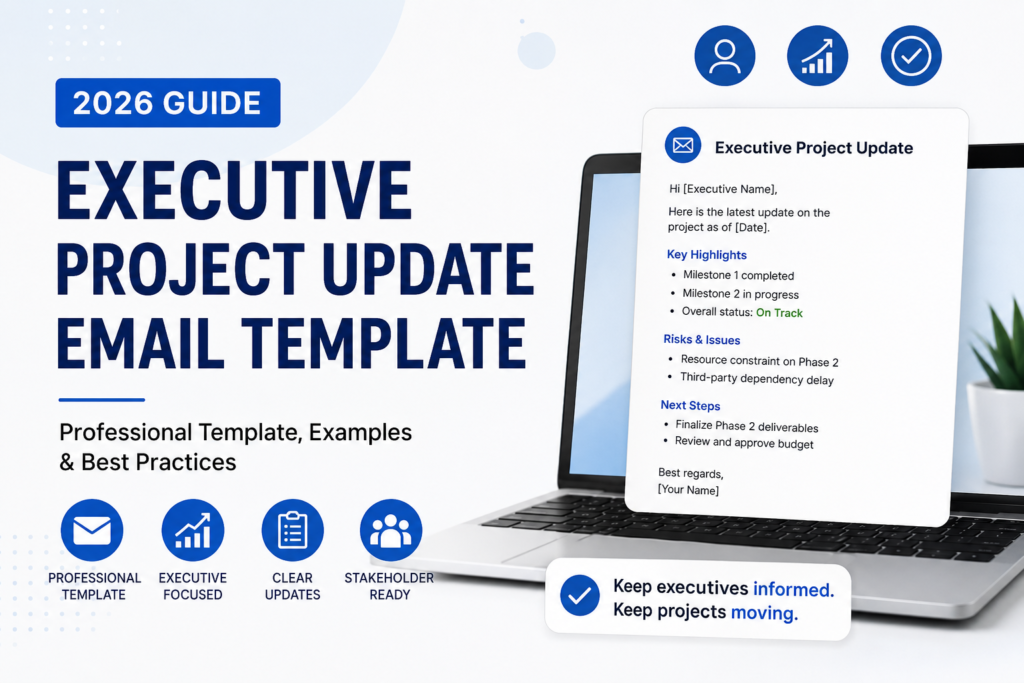
Executive Project Update Email Template: Professional Examples for Stakeholders (2026)
Last Updated: June 2026
An executive project update email template helps project managers, consultants, team leads, and department heads communicate progress to senior stakeholders without overwhelming them with unnecessary detail. Executives do not need every task, comment, or meeting note. They need a clear summary of project health, business impact, risks, decisions needed, budget status, timeline changes, and next steps.
In 2026, executive communication must be short, structured, and decision-focused. Senior leaders often review project updates on mobile devices between meetings, so your email must make the most important information easy to scan. A strong executive project update email template shows what is on track, what needs attention, and what action is required.
This guide includes a complete executive project update email template, real examples, subject lines, status tables, best practices, common mistakes, copy-paste templates, a checklist, and related InstantDocsAI tools to help you write updates that executives actually read.
Table of Contents
- Featured Snippet Answer
- AI Overview Answer
- What Is an Executive Project Update Email?
- Why Executive Project Updates Matter
- Executive Project Update vs Standard Project Update
- What to Include in an Executive Project Update Email
- Executive Project Update Email Template
- Executive Project Update Email Examples
- How to Write an Executive Project Update Email
- Executive Project Update Email Subject Lines
- Best Practices
- Common Mistakes to Avoid
- Executive Project Update Checklist
- Expert Insight
- Practical Recommendation
- Real-World Example
- Frequently Asked Questions
- Related Guides and Tools
- Sources
- Create Executive Project Emails Faster
- Conclusion
Featured Snippet Answer
An executive project update email template is a short, structured email format used to brief senior leaders on project health, progress, risks, decisions, budget, timeline, and next steps. It should include a clear subject line, executive summary, status indicator, key wins, blockers, business impact, action required, and owner deadlines.
AI Overview Answer
The best executive project update email template gives leaders the information they need to make decisions quickly. It should avoid task-level detail and focus on project status, strategic impact, budget changes, timeline risks, decisions needed, and next steps. Use concise sections, status labels such as On Track or At Risk, and a direct call to action when executive input is required.
What Is an Executive Project Update Email?
An executive project update email is a concise professional message sent to senior leaders, sponsors, directors, C-suite executives, investors, or high-level stakeholders to summarize the progress and health of a project. A strong executive project update email template is designed for decision-makers who need clarity, not excessive operational detail.
Unlike a team-level project update, an executive update should not list every task completed during the week. Instead, it should answer strategic questions: Is the project on track? Is the budget under control? Are there risks? Are decisions needed? What business outcome is being protected or improved?
Executive project updates are especially useful for product launches, software implementations, marketing campaigns, consulting projects, operational changes, compliance projects, website redesigns, business transformation initiatives, and client-facing work.
Why Executive Project Updates Matter
An executive project update email template matters because senior leaders make decisions based on fast, accurate, and well-organized information. If your update is unclear, leadership may miss risks, delay approvals, or misunderstand project progress.
- It reduces meeting time: A clear written update can replace unnecessary status meetings.
- It improves decision-making: Executives can act faster when risks and decisions are clearly framed.
- It builds trust: Consistent updates show control, ownership, and professionalism.
- It prevents surprises: Leaders should hear about risks early, not after deadlines fail.
- It documents progress: Updates create a written project record for future reference.
- It keeps stakeholders aligned: Everyone receives the same version of project status.
For broader project communication examples, review Project Update Email Example, Client Project Update Email Template, and Project Update Email Subject Lines.
Executive Project Update vs Standard Project Update
A standard project update focuses on tasks, progress, blockers, and next steps for team members. An executive project update focuses on business impact, timeline health, budget status, risk exposure, and decisions needed. The right executive project update email template should be more concise and more strategic than a weekly team update.
| Element | Standard Project Update | Executive Project Update |
|---|---|---|
| Audience | Project team, contributors, clients | Executives, sponsors, directors, senior stakeholders |
| Main Focus | Tasks, deadlines, deliverables | Project health, risk, budget, business impact |
| Length | Medium detail | Short and executive-level |
| Tone | Operational | Strategic and decision-focused |
| Best CTA | Complete next task | Approve, decide, escalate, or acknowledge |
What to Include in an Executive Project Update Email
A complete executive project update email template should include the project name, reporting period, overall status, executive summary, key progress, risks, blockers, budget or timeline impact, decisions needed, next steps, and owners.
| Section | Purpose | Example |
|---|---|---|
| Executive Summary | Gives the main message quickly | Project remains on track with one budget decision needed. |
| Status Indicator | Shows project health | On Track, At Risk, Delayed |
| Key Progress | Highlights meaningful wins | Phase 2 completed; stakeholder review finished. |
| Risks or Blockers | Flags issues early | Vendor approval may delay launch by 5 days. |
| Decision Needed | Requests leadership action | Approve additional $8,000 testing budget by Friday. |
| Next Steps | Shows what happens next | Complete QA, finalize training plan, confirm launch readiness. |
Executive Project Update Email Template
Use this executive project update email template when you need to brief senior stakeholders quickly and professionally.
Subject: [Project Name] — Executive Update | [Status] | [Date]
Hi [Executive / Stakeholder Name],
Here is the executive update for [Project Name] covering [Reporting Period].
Executive Summary:
[One to two sentences summarizing the most important update, business impact, and whether action is needed.]
Overall Status: [On Track / At Risk / Delayed / Complete]
Key Progress:
- [Progress point 1]
- [Progress point 2]
- [Progress point 3]
Risks / Blockers:
- [Risk or blocker] — Impact: [Timeline / budget / scope impact]
Decision or Action Needed:
[State exactly what decision or action is needed, who owns it, and the deadline.]
Next Steps:
- [Next step 1] — Owner: [Name] — Due: [Date]
- [Next step 2] — Owner: [Name] — Due: [Date]
Please let me know if you would like a deeper breakdown or if you approve the recommended next step by [Date].
Best regards,
[Your Name]
[Title]
Executive Project Update Email Examples
The best executive project update email template changes slightly based on project status. Below are examples for on-track projects, at-risk projects, delayed projects, and decision-needed updates.
Example 1: Executive Project Update Email — On Track
Subject: CRM Migration — Executive Update | On Track | June 2026
Hi Leadership Team,
Here is the executive update for the CRM Migration project.
Executive Summary: The project remains on track for the planned July launch. Phase 2 data validation is complete, user testing is scheduled for next week, and no executive escalation is needed at this time.
Overall Status: On Track
Key Progress:
- Completed 96% of customer data validation.
- Confirmed training schedule with Sales and Customer Success teams.
- Resolved 14 of 16 open migration issues.
Risks: Two remaining integration issues are being monitored, but neither currently affects launch timing.
Next Steps: User acceptance testing begins Monday, with readiness review scheduled for June 21.
Best regards,
Jordan Lee
Example 2: Executive Project Update Email — At Risk
Subject: Website Redesign — Executive Update | At Risk
Hi Amanda,
Here is the latest executive update for the Website Redesign project.
Executive Summary: The project is currently at risk due to delayed legal approval of privacy page content. If approval is not received by Thursday, the launch date may move by one week.
Overall Status: At Risk
Key Progress:
- Homepage, service pages, and mobile layout are complete.
- QA testing is 80% finished.
- Analytics and conversion tracking have been installed.
Risk: Legal review is delaying final page approval.
Decision Needed: Please confirm whether we should proceed with a soft launch while the legal content remains pending.
Best regards,
Michael Reed
Example 3: Executive Project Update Email — Decision Needed
Subject: Product Launch — Executive Decision Needed by Friday
Hi Executive Team,
This executive project update requires a decision regarding the product launch budget.
Executive Summary: The launch plan is ready, but paid media costs have increased by 18% compared with the original forecast. To maintain the planned launch reach, we recommend approving an additional $12,000 media allocation.
Overall Status: On Track pending decision
Decision Needed: Approve additional launch budget by Friday, June 14.
Business Impact: Without approval, we estimate a 22% lower campaign reach during launch week.
Recommended Action: Approve the additional budget and keep the current launch plan unchanged.
Best regards,
Priya Shah
How to Write an Executive Project Update Email
To write an executive project update email, start with the strategic message, state the status clearly, summarize progress, highlight risks, identify decisions needed, and end with clear next steps. A good executive project update email template should be concise enough to read in under two minutes.
Step 1: Start With the Executive Summary
Executives should not have to search for the main message. Open with one or two sentences that explain the project status, business impact, and whether action is needed.
Step 2: Use a Status Label
Use simple status labels such as On Track, At Risk, Delayed, Complete, or Decision Needed. This makes your email scannable and consistent across reporting periods.
Step 3: Share Only Meaningful Progress
Do not list every completed task. Mention progress that affects timeline, budget, delivery, customer impact, compliance, launch readiness, or business goals.
Step 4: Identify Risks Early
Executive stakeholders need time to help remove blockers. State the risk, impact, owner, and recommended response.
Step 5: Make the Decision Easy
If leadership needs to approve something, give a clear recommendation. Do not simply describe the problem. Explain the preferred option and deadline.
Step 6: Close With Next Steps
End with what happens next, who owns each item, and when the next update will be sent.
Executive Project Update Email Subject Lines
A strong subject line helps senior stakeholders prioritize your update. Use the project name, status, and action requirement when needed.
- [Project Name] — Executive Update | On Track
- [Project Name] — Executive Update | Decision Needed
- [Project Name] — Weekly Executive Summary
- [Project Name] — Risk Alert | Approval Needed
- [Project Name] — Budget Update for Review
- [Project Name] — Launch Readiness Update
- [Project Name] — Timeline Change Summary
- [Project Name] — Executive Status Report | June 2026
- [Project Name] — Sponsor Update | At Risk
- [Project Name] — Final Executive Brief
For more options, see Project Update Email Subject Lines.
Best Practices for Executive Project Updates
The best executive project update email template is short, structured, factual, and decision-focused. It helps leadership understand the project quickly without reading operational detail.
- Keep the email under 300 words when possible.
- Use a clear subject line with project name and status.
- Start with an executive summary.
- Use status labels consistently.
- Separate progress, risks, decisions, and next steps.
- Include business impact, not just task activity.
- Use numbers when helpful: budget, timeline, completion percentage.
- Make decisions easy by recommending a clear option.
- Do not hide bad news in the middle of the email.
- Send updates on a predictable schedule.
Common Executive Project Update Mistakes
Common mistakes include sending too much detail, hiding risks, failing to ask for a decision, using vague status language, and writing updates that sound like task logs instead of executive briefs.
- Writing too much: Executives need the summary first, not every task detail.
- Using vague status: “Things are moving” is weaker than “On Track” or “At Risk.”
- Hiding the risk: Put risks and decisions near the top.
- Not explaining business impact: Leaders need to know why the issue matters.
- No recommendation: If a decision is needed, suggest the best option.
- No deadline: A decision request without a deadline can delay the project.
- Overusing attachments: Keep the email useful without forcing leaders to open files.
Executive Project Update Email Checklist
Use this checklist before sending any executive project update email template.
| Checklist Item | Done? |
|---|---|
| Project name is in the subject line | Yes / No |
| Executive summary appears at the top | Yes / No |
| Overall status is clear | Yes / No |
| Progress is summarized, not over-explained | Yes / No |
| Risks include business impact | Yes / No |
| Decision requests include a deadline | Yes / No |
| Next steps have owners | Yes / No |
| Email can be read in under two minutes | Yes / No |
Expert Insight
Executive stakeholders do not judge a project update by how much detail it contains. They judge it by how quickly it helps them understand project health and make the right decision. A strong executive project update email template filters operational noise and elevates only the information that affects business outcomes.
Practical Recommendation
Create one standard executive project update email template for all high-visibility projects. Use the same status labels, same section order, and same reporting rhythm every week. Consistency makes updates easier for leaders to scan and compare over time.
Real-World Example
A project manager leading a software implementation originally sent four-page weekly reports to executives. Most leaders did not read them. After switching to a one-page executive email format with status, risks, decision needed, and next steps, response time improved. Budget approvals became faster because executives could see the issue, impact, and recommended action immediately.
Frequently Asked Questions
What is an executive project update email template?
An executive project update email template is a structured email format used to summarize project health, progress, risks, decisions, budget, timeline, and next steps for senior leaders or stakeholders.
How long should an executive project update email be?
Most executive project update emails should be under 300 words. If the project is complex, include a concise email summary and attach a deeper report separately.
What should executives see first in a project update?
Executives should see the project status and executive summary first. They should immediately know whether the project is on track, at risk, delayed, or waiting for a decision.
How often should executive project updates be sent?
Weekly updates work well for active projects. High-risk or high-visibility projects may need more frequent updates, while stable long-term projects may use biweekly or milestone-based updates.
Should executive updates include detailed task lists?
No. Detailed task lists are better for team updates. Executive updates should focus on business impact, progress, risks, decisions, and next steps.
What is the best subject line for an executive project update?
A strong subject line includes the project name, update type, and status. Example: “CRM Migration — Executive Update | On Track.”
How do you report project risk to executives?
State the risk clearly, explain the impact, identify the owner, and recommend a response. Avoid vague warnings without a proposed action.
Should I include budget updates in executive project emails?
Yes, if budget status has changed or needs attention. Include budget variance, reason for change, and whether approval is needed.
Can AI help write executive project update emails?
Yes. AI can help draft a structured executive project update, summarize risks, rewrite updates for clarity, and create decision-focused subject lines. Always verify details before sending.
Sources
Create Executive Project Updates Faster
Need a custom executive project update email template for your exact project? Use the InstantDocsAI Professional Email Writer to generate executive updates, stakeholder summaries, status reports, risk alerts, approval requests, and project completion emails in seconds.
Conclusion
A strong executive project update email template helps senior leaders understand project status quickly, identify risks early, and make decisions without unnecessary meetings. The key is to focus on what executives need most: status, business impact, risks, budget, decisions, and next steps.
Use the templates and examples above to create executive project updates that are concise, clear, and decision-ready. When your updates are easy to scan and easy to act on, you build trust with leadership and keep important projects moving forward.