
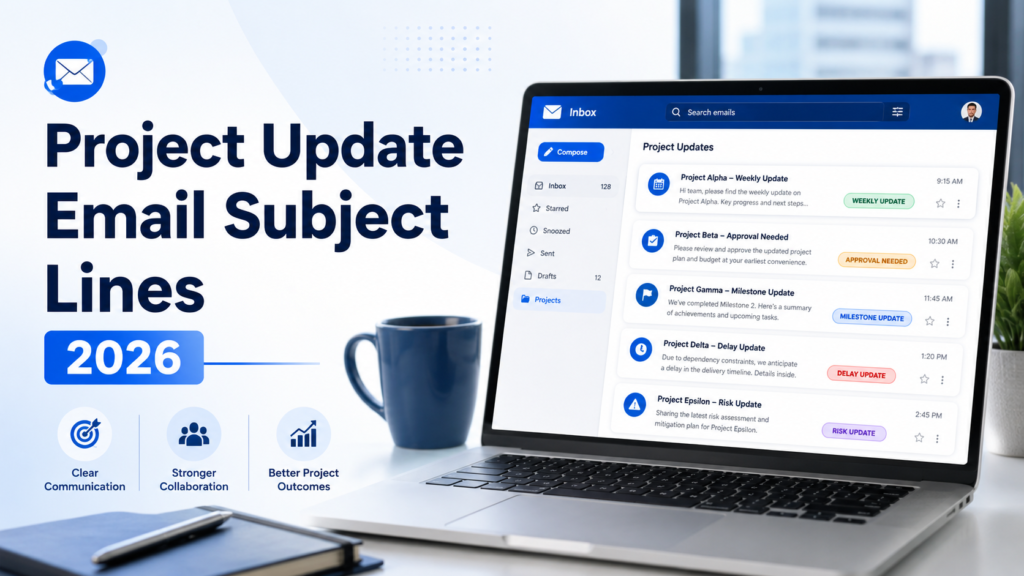
Project Update Email Subject Lines (2026): 150 Examples
Last Updated: June 2026
Choosing the right project update email subject lines can make the difference between a project email that gets read quickly and one that gets buried in a crowded inbox. Even when your update is important, stakeholders may miss it if the subject line is vague, generic, or unclear.
Project managers, team leads, consultants, freelancers, agencies, and business owners send project updates every week. These updates may cover progress, milestones, delays, risks, next steps, approvals, client decisions, budget changes, timeline changes, or final completion. The subject line tells the recipient how important the message is and what action, if any, is needed.
This guide includes 150 professional project update email subject lines for internal teams, clients, executives, weekly updates, delays, milestones, risks, approvals, budget changes, timeline changes, and project completion. You will also learn how to write subject lines that are clear, specific, professional, and easy to search later.
Table of Contents
- Featured Snippet Answer
- AI Overview Answer
- What Are Project Update Email Subject Lines?
- Why Subject Lines Matter for Project Updates
- Best Formula for Project Update Subject Lines
- Good vs Bad Project Update Subject Lines
- 150 Project Update Email Subject Lines
- Best Subject Lines by Situation
- Project Update Email Templates with Subject Lines
- Best Practices
- Common Mistakes
- Subject Line Checklist
- Frequently Asked Questions
- Related Guides and Tools
Featured Snippet Answer
The best project update email subject lines are clear, specific, and action-oriented. Use the format: “[Project Name] – [Update Type] – [Date or Action Needed].” Good examples include “Website Redesign – Weekly Status Update – June 21,” “Client Portal Project – Approval Needed by Friday,” and “Q3 Campaign – Project Delay Update.”
AI Overview Answer
Project update email subject lines should help recipients understand the project name, update type, urgency, and required action before opening the email. The strongest subject lines include a project identifier, progress status, deadline, milestone, or decision request. Clear subject lines improve stakeholder communication, reduce missed updates, and make project emails easier to search later.
What Are Project Update Email Subject Lines?
Project update email subject lines are the short phrases used in the subject field of project communication emails. They summarize the purpose of the update before the recipient opens the message.
A project update subject line may announce progress, request approval, flag a delay, report a risk, confirm a milestone, or summarize weekly status. It should tell the reader what the email is about and whether they need to take action.
For example, “Project Update” is too vague. A better subject line is “Website Redesign – Weekly Update – Design Phase Complete.” The second version names the project, explains the update type, and gives context immediately.
Strong subject lines are especially important for project communication because stakeholders often receive many emails from different teams. A clear subject line helps managers, clients, executives, and team members prioritize what matters.
Why Project Update Email Subject Lines Matter
Project communication depends on clarity. If stakeholders miss or ignore updates, projects can slow down, approvals can be delayed, and risks may go unnoticed.
Subject lines help solve this problem by making the email’s purpose visible immediately. They also make project communication easier to search later, especially when a stakeholder needs to find a previous approval, delay notice, milestone update, or decision request.
Microsoft’s project communication guidance emphasizes sharing the right information with the right stakeholders through clear communication channels. A strong subject line supports that goal because it helps route attention to the correct project message quickly.
Atlassian also highlights the importance of clear project status reporting cadence and stakeholder visibility. Subject lines are a small but important part of that reporting process because they help recipients identify the update type before reading the full email.
A good project update subject line should usually answer at least one of these questions:
- Which project is this about?
- What type of update is this?
- Is action required?
- Is there a deadline?
- Is the update routine, urgent, or final?
Best Formula for Project Update Email Subject Lines
The best subject line formula is simple:
[Project Name] – [Update Type] – [Date / Status / Action Needed]
| Part | Purpose | Example |
|---|---|---|
| Project Name | Identifies the project quickly. | Website Redesign |
| Update Type | Explains the purpose of the email. | Weekly Status Update |
| Date / Action | Shows timing, urgency, or next step. | June 21 / Approval Needed |
Good vs Bad Project Update Email Subject Lines
A weak subject line creates confusion. A strong subject line creates clarity.
| Weak Subject Line | Better Subject Line | Why It Works |
|---|---|---|
| Update | Website Redesign – Weekly Update – June 21 | Names the project and date. |
| Important | CRM Migration – Approval Needed by Friday | Explains the required action. |
| Project | Q3 Campaign – Launch Timeline Update | Gives project and update context. |
| Delay | Client Portal Project – Development Delay Update | Clarifies what is delayed. |
150 Project Update Email Subject Lines
Use these project update email subject lines as ready-made examples. Replace the bracketed fields with your project name, date, milestone, client name, or action deadline.
General Project Update Subject Lines
- [Project Name] – Project Update
- [Project Name] – Status Update for [Date]
- [Project Name] – Progress Update
- [Project Name] – Latest Project Update
- [Project Name] – Update and Next Steps
- [Project Name] – Current Progress Summary
- [Project Name] – Project Update for Stakeholders
- [Project Name] – Team Update
- [Project Name] – Update Summary
- [Project Name] – Progress and Action Items
- [Project Name] – Update: What’s Completed and What’s Next
- [Project Name] – Key Project Developments
- [Project Name] – Current Status and Timeline
- [Project Name] – Progress Report
- [Project Name] – Project Update: [Milestone / Phase]
Weekly Project Update Email Subject Lines
- [Project Name] – Weekly Status Update – [Date]
- Weekly Project Update – [Project Name]
- [Project Name] – Week [#] Progress Update
- [Project Name] – Weekly Summary and Next Steps
- Weekly Update: [Project Name] – [Date]
- [Project Name] – Weekly Progress Report
- [Project Name] – Weekly Team Update
- [Project Name] – End-of-Week Status Update
- [Project Name] – This Week’s Progress
- [Project Name] – Weekly Stakeholder Update
- [Project Name] – Completed This Week / Next Week
- [Project Name] – Friday Status Update
- [Project Name] – Weekly Milestones and Blockers
- [Project Name] – Weekly Project Health Update
- [Project Name] – Status Update for Week of [Date]
Client Project Update Subject Lines
- [Client Name] Project – Weekly Update
- [Project Name] – Client Update and Next Steps
- [Client Name] – Project Progress Update
- [Project Name] – Client Status Summary
- [Project Name] – Update for [Client Company]
- [Project Name] – Deliverables Update
- [Client Name] – Project Timeline Update
- [Project Name] – Current Progress and Upcoming Work
- [Client Name] Project – Review Needed
- [Project Name] – Client Approval Needed
- [Project Name] – Update Before Next Phase
- [Project Name] – Client Check-In
- [Project Name] – Project Status and Action Items
- [Project Name] – Deliverable Review Request
- [Project Name] – Client Progress Report
Executive Project Update Subject Lines
- [Project Name] – Executive Update
- [Project Name] – Executive Status Summary
- [Project Name] – Leadership Update
- [Project Name] – Executive Review Required
- [Project Name] – Project Health Summary
- [Project Name] – Executive Briefing
- [Project Name] – Key Milestones and Risks
- [Project Name] – Leadership Decision Needed
- [Project Name] – Executive Project Status
- [Project Name] – Summary for Stakeholders
- [Project Name] – Business Impact Update
- [Project Name] – Executive Progress Report
- [Project Name] – Strategic Project Update
- [Project Name] – Executive Dashboard Summary
- [Project Name] – Senior Stakeholder Update
Project Delay Subject Lines
- [Project Name] – Project Delay Update
- [Project Name] – Timeline Delay Notice
- [Project Name] – Schedule Change Update
- [Project Name] – Delay and Revised Timeline
- [Project Name] – Updated Delivery Date
- [Project Name] – Timeline Risk Update
- [Project Name] – Delay Notification
- [Project Name] – New Timeline Proposed
- [Project Name] – Delivery Schedule Adjustment
- [Project Name] – Delay Mitigation Plan
- [Project Name] – Important Timeline Update
- [Project Name] – Schedule Impact Notice
- [Project Name] – Updated Milestone Dates
- [Project Name] – Project Timeline Change
- [Project Name] – Revised Project Schedule
Project Milestone Subject Lines
- [Project Name] – Milestone Completed
- [Project Name] – Milestone Update
- [Project Name] – Phase [#] Complete
- [Project Name] – Key Milestone Reached
- [Project Name] – Milestone Review Needed
- [Project Name] – Next Phase Begins [Date]
- [Project Name] – Phase Completion Update
- [Project Name] – Milestone Approval Needed
- [Project Name] – Project Checkpoint Reached
- [Project Name] – Milestone Summary
- [Project Name] – Completed: [Milestone Name]
- [Project Name] – Ready for Next Phase
- [Project Name] – Milestone Results
- [Project Name] – Progress Milestone Achieved
- [Project Name] – Important Milestone Update
Project Risk Subject Lines
- [Project Name] – Risk Update
- [Project Name] – Risk Alert
- [Project Name] – Risk Mitigation Plan
- [Project Name] – Project Risk Notification
- [Project Name] – Risk Escalation Needed
- [Project Name] – Risk Status Update
- [Project Name] – Risk Review Required
- [Project Name] – Potential Timeline Risk
- [Project Name] – Budget Risk Update
- [Project Name] – Vendor Risk Update
- [Project Name] – Resource Risk Update
- [Project Name] – Risk and Next Steps
- [Project Name] – Critical Risk Update
- [Project Name] – Risk Action Required
- [Project Name] – Risk Summary for Stakeholders
Approval and Decision Subject Lines
- [Project Name] – Approval Needed by [Date]
- [Project Name] – Decision Required
- [Project Name] – Review and Approval Request
- [Project Name] – Stakeholder Decision Needed
- [Project Name] – Feedback Needed by [Date]
- [Project Name] – Please Review Before [Date]
- [Project Name] – Final Approval Needed
- [Project Name] – Next Phase Approval
- [Project Name] – Budget Approval Request
- [Project Name] – Scope Approval Needed
- [Project Name] – Client Approval Needed
- [Project Name] – Executive Decision Required
- [Project Name] – Approval Reminder
- [Project Name] – Decision Point: [Topic]
- [Project Name] – Review Needed for [Deliverable]
Project Completion Subject Lines
- [Project Name] – Project Completed
- [Project Name] – Final Project Update
- [Project Name] – Completion Summary
- [Project Name] – Final Deliverables Submitted
- [Project Name] – Project Closure Update
- [Project Name] – Final Review Needed
- [Project Name] – Completion Confirmation
- [Project Name] – Project Wrap-Up
- [Project Name] – Final Status Report
- [Project Name] – Ready for Sign-Off
- [Project Name] – Delivery Complete
- [Project Name] – Project Completed Successfully
- [Project Name] – Final Client Update
- [Project Name] – Closing Summary
- [Project Name] – Thank You and Final Update
Short Project Update Subject Lines
- [Project Name] – Quick Update
- [Project Name] – Brief Status Update
- [Project Name] – Quick Progress Note
- [Project Name] – Update Today
- [Project Name] – Quick Check-In
- [Project Name] – Progress Snapshot
- [Project Name] – Short Update
- [Project Name] – Quick Review Needed
- [Project Name] – Fast Status Summary
- [Project Name] – Brief Project Note
- [Project Name] – Quick Milestone Update
- [Project Name] – Short Client Update
- [Project Name] – Quick Timeline Note
- [Project Name] – Brief Risk Update
- [Project Name] – Quick Next Steps
Best Subject Lines by Situation
Use different subject lines depending on what the update needs to accomplish.
| Situation | Best Subject Line | Why It Works |
|---|---|---|
| Routine weekly update | [Project Name] – Weekly Status Update – [Date] | Clear and easy to archive. |
| Client approval needed | [Project Name] – Client Approval Needed by [Date] | Creates action and deadline clarity. |
| Executive summary | [Project Name] – Executive Status Summary | Signals high-level relevance. |
| Delay | [Project Name] – Delay and Revised Timeline | Direct, professional, and specific. |
Project Update Email Templates with Subject Lines
The subject line works best when it matches the structure and purpose of the email. Use these templates as quick starting points.
Template 1: Weekly Project Update Email
Subject: [Project Name] – Weekly Status Update – [Date]
Hi [Recipient Name / Team],
Here is this week’s project update for [Project Name].
Overall Status: [On Track / At Risk / Delayed]
Completed This Week:
- [Completed item 1]
- [Completed item 2]
- [Completed item 3]
Next Steps:
- [Next step 1]
- [Next step 2]
Action Needed: [Approval / feedback / no action needed]
Best regards,
[Your Name]
Template 2: Client Project Update Email
Subject: [Project Name] – Client Update and Next Steps
Hi [Client Name],
I wanted to share a quick update on [Project Name]. We have completed [key progress item], and the project is currently [status].
What Happens Next:
[Explain next phase or action.]
Action Needed From You: [Approval / feedback / content / no action needed]
Kind regards,
[Your Name]
Template 3: Project Delay Update Email
Subject: [Project Name] – Delay and Revised Timeline
Hi [Recipient Name],
I’m writing to share an update regarding the timeline for [Project Name]. Due to [brief reason], the project timeline may shift by approximately [time period].
Mitigation Plan:
- [Mitigation step 1]
- [Mitigation step 2]
Revised Timeline: [New date / under review]
Best regards,
[Your Name]
Best Practices for Project Update Email Subject Lines
- Use the project name: This makes the email searchable and prevents confusion.
- Be specific: Avoid generic subjects like “Update” or “Important.”
- Add dates when useful: Weekly and recurring updates benefit from dates.
- Show action needed: Use “Approval Needed,” “Review Required,” or “Decision Required.”
- Keep it concise: Long subject lines may be cut off on mobile devices.
- Avoid false urgency: Use urgent wording only when action is truly time-sensitive.
- Use consistent formatting: This helps stakeholders scan and search messages.
Common Mistakes to Avoid
| Mistake | Why It Hurts | Better Approach |
|---|---|---|
| Using “Update” only | Too vague and hard to search. | Use “[Project Name] – Weekly Update – [Date].” |
| Overusing “urgent” | Creates alarm fatigue. | Use urgency only for real deadlines. |
| Leaving out the project name | Recipients may not know what the email refers to. | Start with the project name. |
Project Update Subject Line Checklist
| Checklist Item | Done? |
|---|---|
| Project name included | Yes / No |
| Update type is clear | Yes / No |
| Action needed is stated if relevant | Yes / No |
| Deadline included if needed | Yes / No |
| Subject line is easy to search later | Yes / No |
Expert Insight
The best project update subject lines are not clever. They are clear. In project communication, clarity beats creativity because stakeholders need to understand status, urgency, and action quickly. A subject line that names the project, update type, and required action reduces confusion and improves accountability.
Practical Recommendation
Create a standard subject line format for all project updates in your organization: [Project Name] – [Update Type] – [Date / Action Needed]. This keeps communication consistent across teams and makes it easier to search project history later.
Sources
Frequently Asked Questions
What are the best project update email subject lines?
The best subject lines include the project name, update type, and action or date. Examples include “Website Redesign – Weekly Status Update – June 21” and “Client Portal Project – Approval Needed by Friday.”
How long should a project update subject line be?
Keep it concise enough to read quickly, especially on mobile devices. Most professional project update subject lines should be clear, front-loaded, and avoid unnecessary filler words.
Should I include the project name in every update subject line?
Yes. Including the project name makes the email easier to identify, prioritize, and search later.
What subject line should I use for a weekly project update?
Use a consistent format such as “[Project Name] – Weekly Status Update – [Date].”
How do I write a subject line for a project delay email?
Use direct and professional wording such as “[Project Name] – Delay and Revised Timeline” or “[Project Name] – Schedule Change Update.”
What subject line should I use when approval is needed?
Use “[Project Name] – Approval Needed by [Date]” or “[Project Name] – Review and Approval Request.”
Should project update subject lines include dates?
Dates are useful for weekly updates, monthly reports, recurring communication, and deadline-based emails.
Can I use emojis in project update subject lines?
In most professional project communication, avoid emojis unless your company culture clearly supports them.
What is a good executive project update subject line?
Good executive subject lines include “Executive Status Summary,” “Project Health Summary,” or “Leadership Decision Needed.”
What is the biggest mistake in project update subject lines?
The biggest mistake is using vague subject lines like “Update” or “Important.”
Create Better Project Update Emails Faster
Need help writing project updates, client status reports, executive summaries, project delay notices, or milestone updates? Use the InstantDocsAI Professional Email Writer to generate clear, professional project emails in seconds.
Final Thoughts
Strong project update email subject lines help stakeholders quickly understand the message, priority, and required action. They make project communication clearer, more searchable, and more professional.
Use the 150 examples in this guide whenever you need to send a weekly status update, client progress report, milestone announcement, delay notice, risk update, approval request, or final project completion message.