
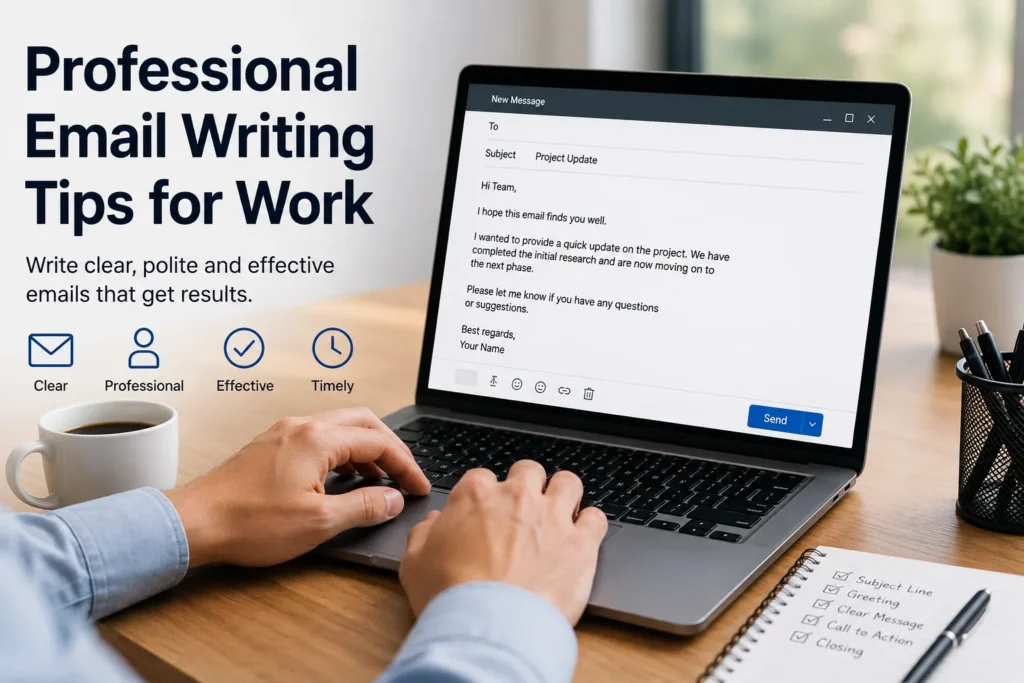
Professional Email Writing Tips for Work (2026): Complete Guide
Last Updated: June 2026
Mastering professional email writing tips for work is one of the highest-leverage skills you can develop in any career. Whether you are coordinating with colleagues, updating clients on a project, or following up after a meeting, the quality of your emails directly shapes how others perceive your competence and reliability. A well-crafted email gets results. A poorly written one gets ignored — or worse, creates confusion and conflict.
In this complete 2026 guide, you will find everything you need to write clear, confident, and effective work emails. From subject line strategy and proper formatting to tone, follow-up timing, and ready-to-use templates, this guide covers the full landscape of email writing tips for work that modern professionals rely on every day.
Whether you are a new hire trying to make a strong first impression or a seasoned manager looking to sharpen your written communication, the practical advice in this guide applies across industries and roles. By the end, you will know exactly how to structure any professional email situation with clarity, speed, and confidence.
Table of Contents
- Featured Snippet Answer
- AI Overview Answer
- What Is a Professional Work Email?
- How to Write a Strong Subject Line
- The Anatomy of a Professional Email
- Tone, Language, and Formality Level
- Common Types of Work Emails and When to Use Them
- Step-by-Step Guide: How to Write Any Professional Email
- Ready-to-Use Professional Email Templates
- Formal vs. Informal Work Email: Comparison Table
- Best Practices for Professional Email Communication
- Common Email Mistakes to Avoid at Work
- Pro Tips from Experienced Communicators
- Professional Email Checklist Before You Hit Send
- Frequently Asked Questions
- Sources
Featured Snippet Answer
The most effective professional email writing tips for work include: use a clear, specific subject line; open with a professional greeting; state your purpose in the first sentence; keep paragraphs short and scannable; use bullet points for multiple items; maintain a respectful and neutral tone; close with a clear call to action; and always proofread before sending. Professional work emails should be concise, purposeful, and audience-aware. Avoid jargon, emotional language, and vague requests. The goal of every professional email is to communicate clearly and prompt the right response efficiently.
AI Overview Answer
Professional email writing for work involves crafting clear, structured messages that communicate intent efficiently and respectfully. Key principles include writing descriptive subject lines, opening with context, using plain language, and ending with a specific action or next step. Work emails span many types — project updates, client follow-ups, meeting requests, and internal coordination — each requiring a slightly different tone and structure. Effective workplace email communication reduces miscommunication, speeds up decisions, and builds professional credibility. Experts recommend keeping emails under 200 words when possible, using formatting for readability, and always reviewing before sending.
What Is a Professional Work Email?
A professional work email is any written message sent in a business or workplace context that represents you, your team, or your organization. It differs from casual personal messages in tone, structure, and intent. Professional emails are purposeful — every word serves a function, from building relationships to requesting information, delivering updates, or resolving issues.
Work emails include a wide range of formats:
- Internal team updates and status reports
- Client-facing correspondence and follow-ups
- Meeting requests and confirmations
- Project kickoff and milestone communications
- Escalation and issue-resolution messages
- Introductory and onboarding emails
For example, when a project manager sends a project milestone update email, it needs to be structured differently than an informal chat message — it must be clear, professional, and provide context for stakeholders who may review it later.
AI Overview extract: A professional work email is a structured, purposeful business communication that represents the sender and organization. It differs from casual messages in tone and format, and spans many use cases including project updates, client correspondence, and internal coordination. All professional emails share the goal of communicating clearly and prompting a specific response or action.
How to Write a Strong Subject Line
Your subject line is the first — and sometimes only — thing your recipient reads. A weak subject line means your email gets skipped. A strong one gets opened immediately. Purdue OWL’s email etiquette guidance also recommends meaningful subject lines, short and direct paragraphs, and a professional signature.
Subject Line Best Practices
- Be specific: “Project X — Status Update for June 20” beats “Update”
- Front-load the key information: Put the most important word first
- Keep it under 50 characters for mobile display
- Avoid ALL CAPS or excessive punctuation — it reads as spam or aggressive
- Include action words when a response is needed: “Action Required,” “Please Review,” “Decision Needed”
- Reference deadlines when urgency is genuine: “Invoice Due — Response Needed by June 25”
For inspiration, exploring curated examples like project update email subject lines or weekly status update email subject lines for work can help you quickly find the right phrasing for recurring email types.
AI Overview extract: A strong professional email subject line is specific, concise, and front-loaded with key information. It should be under 50 characters for mobile readability, avoid vague terms like “Update” or “Hello,” and include action language when a response is required. Effective subject lines directly increase open rates and signal professionalism to recipients.
The Anatomy of a Professional Email
Every professional work email follows a logical structure that guides the reader from opening to action. Here is the standard framework used by experienced business communicators:
- Subject line: Clear, specific, action-oriented
- Greeting: “Dear [Name],” or “Hi [Name],” depending on formality level
- Opening line: State your purpose immediately — do not bury the lead
- Body: Supporting context, details, or data — use bullet points for lists of three or more items
- Call to action (CTA): Tell the reader exactly what you need them to do and by when
- Closing line: A brief, professional sign-off sentence
- Sign-off: “Best regards,” “Sincerely,” or “Thank you,” followed by your name and title
For recurring workplace email types like meeting confirmation emails or status update emails to your manager, following this structure consistently builds trust and makes your messages easier to act on.
Tone, Language, and Formality Level
Tone is one of the most misunderstood elements of professional email writing. Many people default to either overly stiff formal language or accidentally casual phrasing that undermines credibility. The right tone depends on your audience, relationship, and context.
Choosing Your Tone
- Formal: Use for executives, new clients, regulatory communications, or first contact. Example: “Dear Ms. Thompson, I am writing to request…”
- Semi-formal: Use for regular colleagues, existing clients, and most day-to-day business emails. Example: “Hi James, just following up on…”
- Warm-professional: Use for internal team emails, onboarding, or thank-you messages. Example: “Hi everyone, excited to share…”
Language Guidelines
- Use plain English — avoid unnecessary jargon or buzzwords
- Write in active voice: “I will send the report by Friday” not “The report will be sent”
- Avoid emotionally charged words when discussing problems
- Be direct without being blunt — clarity is respectful
- Read your email aloud before sending to catch awkward phrasing
When writing sensitive messages like an apology email to a client, tone becomes especially critical — you need to be empathetic, accountable, and forward-focused without sounding defensive.
Common Types of Work Emails and When to Use Them
Different workplace situations call for different email formats. Knowing which type to use — and how to adapt your approach — is a core professional email writing skill.
| Email Type | When to Use It | Key Element |
|---|---|---|
| Project update email | Regular stakeholder briefings | Clear status, blockers, next steps |
| Client follow-up email | After proposal, meeting, or deliverable | Warm tone, clear CTA, no pressure |
| Meeting request email | Scheduling calls or in-person meetings | Purpose, availability, brief agenda |
| Escalation email | When issues exceed normal resolution | Facts only, no blame, urgency stated |
| Thank-you email | After meetings, training, or client work | Specific, genuine, brief |
| Request for information | Gathering data, clarifying requirements | Specific questions, deadline stated |
| Feedback request email | Post-project or service delivery | Easy to respond to, no long surveys |
For specialized scenarios, detailed guides are invaluable. For instance, the project issue escalation email example guide walks through exactly how to handle sensitive escalation language, while the client feedback request email guide covers how to ask for reviews without sounding pushy.
Step-by-Step Guide: How to Write Any Professional Email
Use this process every time you need to write a work email, especially for high-stakes or unfamiliar situations.
- Define your goal: What do you need the recipient to do, know, or feel after reading this email? Write it down before you type a word.
- Identify your audience: Adjust your tone and vocabulary based on who will read it — a client CEO reads differently than a colleague on your team.
- Write your subject line last: Once you know what the email says, you can craft the most accurate subject line.
- Draft the opening sentence first: State your purpose immediately. Example: “I am writing to share the updated project timeline for your review.”
- Use the middle for context: Provide only the information needed to support your purpose — no filler, no padding.
- State your CTA clearly: “Please confirm by Friday” or “Let me know if you have questions by EOD Thursday” — be specific about time and action.
- Write a professional close: Match the energy of the email — formal for formal, warm for warm.
- Proofread twice: Check for typos, tone issues, missing attachments, and incorrect names.
- Send at the right time: Tuesday through Thursday mornings typically see the highest open rates for business emails.
If you frequently send follow-ups without response, studying strategies from the third follow-up email after no response guide can help you navigate persistence without irritating your recipient.
Ready-to-Use Professional Email Templates
Below are two complete, copy-ready templates for the most common professional email scenarios. Customize the bracketed fields to match your situation.
Template 1: Professional Project Update Email
Subject: [Project Name] — Status Update for [Date]
Hi [Recipient Name],
I wanted to share a quick update on [Project Name] as of [Date].
Progress this week:
- [Completed task or milestone 1]
- [Completed task or milestone 2]
Current status: On track / Slightly delayed / Requires decision
Next steps:
- [Upcoming task 1 — Owner: Name — Due: Date]
- [Upcoming task 2 — Owner: Name — Due: Date]
Blockers / Issues: [Describe any issues and what is being done to resolve them, or write “None at this time.”]
Please let me know if you have any questions or need additional detail. I am happy to schedule a call to discuss.
Best regards,
[Your Full Name]
[Your Title]
[Your Contact Information]
Template 2: Professional Client Follow-Up Email After No Response
Subject: Following Up — [Original Topic or Proposal Name]
Hi [Client Name],
I hope you are doing well. I wanted to follow up on my previous email regarding [specific topic or proposal] sent on [date].
I understand you may have a busy schedule, so I wanted to make it easy to reconnect. Here is a quick summary of where things stand:
- [Key point 1 — e.g., the proposal is ready for review]
- [Key point 2 — e.g., the timeline we discussed still works on our end]