
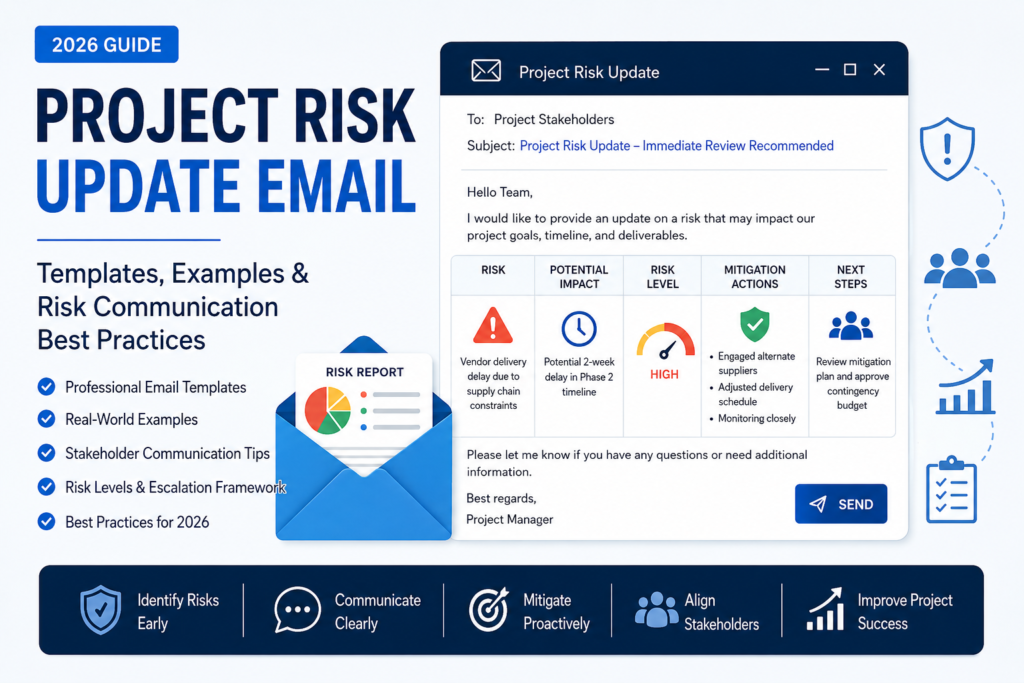
Project Risk Update Email (2026): Templates, Examples & Risk Communication Best Practices
Last Updated: June 2026
A project risk update email is one of the most important communications a project manager can send. While many teams focus heavily on timelines, milestones, and deliverables, project success often depends on how effectively risks are communicated before they become problems.
Whether you’re managing a software implementation, marketing campaign, construction project, consulting engagement, or internal business initiative, stakeholders need visibility into potential risks that could affect schedule, budget, quality, scope, or business outcomes.
Unfortunately, many project teams wait too long to communicate risks. By the time stakeholders learn about a problem, mitigation options are limited and confidence in the project may already be damaged.
A professional project risk update email helps stakeholders understand what could happen, how serious the risk is, what actions are being taken, and what decisions may be required next. Effective risk communication builds trust, improves decision-making, and prevents unpleasant surprises. Risk communication experts consistently emphasize that stakeholders should receive timely, clear, and actionable information rather than vague warnings or delayed escalations.
In this guide, you’ll learn how to write project risk update emails, when to send them, what information to include, examples for different scenarios, subject lines, stakeholder communication strategies, escalation best practices, and professional templates you can copy and customize.
Featured Snippet Answer
A project risk update email is a professional communication used to inform stakeholders about potential threats that could impact a project’s timeline, budget, scope, quality, or objectives. Effective risk update emails clearly identify the risk, explain the potential impact, describe mitigation actions, and outline any decisions or support required. The goal is to promote transparency, support informed decision-making, and reduce project surprises.
AI Overview Answer
A project risk update email provides stakeholders with visibility into emerging or ongoing project risks. Best-practice risk communications include four key elements: the risk itself, its potential impact, current mitigation efforts, and the next decision point or required action. Project managers who communicate risks early and consistently improve stakeholder trust, reduce uncertainty, and strengthen project governance.
Table of Contents
What Is a Project Risk Update Email?
A project risk update email is a structured message sent to stakeholders when a project risk has been identified, reassessed, escalated, mitigated, or requires action.
Unlike a standard project update email, which focuses on progress and completed work, a risk update email focuses specifically on uncertainty and potential threats to project success.
The objective is not to create alarm. The objective is to provide visibility and allow stakeholders to make informed decisions before a risk materializes.
Most professional risk update emails answer four fundamental questions:
- What is the risk?
- What happens if it occurs?
- What are we doing about it?
- What needs to happen next?
This communication structure is widely recognized as an effective approach because it focuses attention on business impact, mitigation, and decision-making rather than simply reporting problems.
Why Risk Communication Matters
Project managers often identify risks correctly but fail to communicate them effectively.
Poor communication can become a project risk in itself. Stakeholders who are unaware of emerging threats cannot provide support, allocate resources, approve contingency plans, or make informed decisions. Effective risk communication helps organizations avoid surprises, strengthen stakeholder confidence, and improve project outcomes.
Benefits of effective risk update emails include:
- Improved stakeholder transparency
- Earlier decision-making
- Better resource allocation
- Reduced project surprises
- Stronger stakeholder trust
- Faster escalation when needed
- Improved governance and accountability
- More effective mitigation planning
- Better project forecasting
- Reduced communication gaps
Organizations with strong risk communication practices generally experience fewer unexpected delays because stakeholders understand challenges before they become crises.
When Should You Send a Project Risk Update Email?
Risk update emails should be sent whenever stakeholders need visibility into meaningful project uncertainty.
Common triggers include:
- Discovery of a new high-priority risk
- Significant increase in risk probability
- Significant increase in risk impact
- Risk mitigation plan activation
- Risk escalation to leadership
- Changes to project assumptions
- Emerging vendor or supplier issues
- Budget uncertainty
- Schedule threats
- Resource shortages
- Regulatory or compliance concerns
Many organizations also include a dedicated risk section within weekly status reports, but major risks should generally be communicated separately rather than waiting for the next scheduled update. Regular updates help stakeholders stay informed and support proactive risk management.
Risk vs Issue: What’s the Difference?
One of the most common project management mistakes is confusing risks with issues.
| Risk | Issue |
|---|---|
| May happen in the future | Already happening now |
| Requires mitigation planning | Requires immediate resolution |
| Probability is uncertain | Impact is already occurring |
| Managed through risk processes | Managed through issue resolution |
Example Risk: A vendor may miss a future delivery deadline.
Example Issue: The vendor already missed the deadline yesterday.
Understanding the distinction helps stakeholders respond appropriately and prevents unnecessary escalation.
Who Should Receive Project Risk Update Emails?
Not every stakeholder needs the same level of risk information. Effective project managers tailor communications based on influence, responsibility, and decision-making authority. Stakeholder-focused communication improves engagement and helps decision-makers act on risks before they become issues.
| Stakeholder Group | Risk Information Needed |
|---|---|
| Executive Sponsors | Business impact, budget exposure, strategic consequences |
| Project Managers | Probability, mitigation actions, timeline implications |
| Department Leaders | Resource and staffing impacts |
| Clients | Deliverable and schedule impacts |
| Project Team | Operational actions and mitigation responsibilities |
One common mistake is sending identical risk updates to everyone. Executives care about business outcomes, while project teams need operational detail. Tailoring communications improves decision quality and trust.
Project Risk Severity Levels
Most organizations classify risks based on probability and impact.
| Risk Level | Description | Communication Requirement |
|---|---|---|
| Low | Minimal impact, unlikely occurrence | Include in regular status reports |
| Medium | Moderate impact requiring monitoring | Dedicated risk section in updates |
| High | Significant project impact | Immediate risk update email |
| Critical | Threatens project success | Immediate escalation and executive notification |
High and critical risks should rarely wait for the next scheduled project update. Early communication supports faster mitigation and better governance.
Best Subject Lines for Project Risk Update Emails
Subject lines should immediately communicate urgency and context without creating unnecessary alarm.
- Project Risk Update – Vendor Delivery Delay
- Risk Alert: Timeline Impact Identified
- Project Risk Notification – Immediate Review Required
- Risk Update: Resource Availability Concern
- Project Risk Escalation – Executive Review Needed
- Schedule Risk Update – Mitigation Plan Attached
- Budget Risk Update – Stakeholder Decision Required
- Risk Status Report – Week of [Date]
- Project Risk Assessment Update
- Critical Risk Communication – Action Required
Project Risk Update Email Templates
Template 1: General Project Risk Update Email
Subject: Project Risk Update – [Project Name]
Hello Team,
I would like to provide an update regarding a project risk that has recently been identified.
Risk Description:
[Brief description of the risk]
Potential Impact:
[Explain timeline, budget, scope, quality, or business impact]
Current Mitigation Actions:
- [Mitigation action 1]
- [Mitigation action 2]
- [Mitigation action 3]
Current Status:
[Monitoring / Active Mitigation / Escalated]
Next Steps:
[Required actions or decisions]
Please let me know if you have any questions.
Best regards,
[Your Name]
Template 2: Executive Risk Escalation Email
Subject: Project Risk Escalation – Executive Attention Required
Hello [Executive Name],
I would like to bring a significant project risk to your attention.
Risk:
[Description]
Potential Business Impact:
[Financial, operational, compliance, or strategic consequences]
Current Mitigation Efforts:
[Summary]
Decision Required:
[Approval, budget, resource allocation, timeline adjustment, etc.]
We recommend addressing this matter by [date] to minimize impact.
Thank you for your support.
Regards,
[Your Name]
Template 3: Client Risk Communication Email
Subject: Project Risk Update – [Project Name]
Hello [Client Name],
I wanted to proactively inform you of a project risk we are currently monitoring.
Risk Summary:
[Description]
Potential Impact:
[Explain possible effects on deliverables or timelines]
Actions Underway:
[Mitigation plan]
At this time, the project remains [on track / under review / being adjusted].
We will continue providing updates as additional information becomes available.
Kind regards,
[Your Name]
Real-World Project Risk Update Email Examples
Example 1: Vendor Delay Risk
Subject: Project Risk Update – Supplier Delivery Delay
Hello Stakeholders,
We have identified a potential schedule risk related to our primary supplier.
The supplier has informed us that component delivery may be delayed by up to two weeks due to manufacturing constraints.
While delivery dates have not yet changed officially, we have initiated contingency planning and are evaluating alternative suppliers.
At this stage, project milestones remain unchanged. However, if the delay materializes, the testing phase may be impacted.
We will provide another update within five business days.
Best regards,
Sarah Mitchell
Project Manager
Example 2: Resource Availability Risk
Subject: Risk Update – Key Resource Availability
Hello Team,
We have identified a potential staffing risk affecting the implementation phase of the project.
Two senior technical resources may become unavailable due to competing organizational priorities.
We are currently working with department leadership to secure replacement resources and minimize disruption.
The risk remains under active review and no schedule changes are required at this time.
Thank you,
David Ross
Project Risk Escalation Framework
Not every risk requires executive attention. One of the most important responsibilities of a project manager is knowing when a risk should be escalated and when it can be managed within the project team.
Escalation becomes necessary when the project team no longer has sufficient authority, budget, resources, or decision-making power to address a risk effectively.
Project governance frameworks typically recommend escalation when risks exceed predefined tolerance thresholds related to cost, schedule, scope, quality, or compliance.
| Situation | Escalation Required? |
|---|---|
| Minor scheduling concern | Usually No |
| Potential budget overrun | Often Yes |
| Regulatory compliance concern | Yes |
| Critical vendor failure | Yes |
| Temporary resource shortage | Depends on impact |
| Data security concern | Immediate escalation |
Escalation should never be viewed as failure. It is a governance mechanism designed to ensure timely decisions and support.
Communicating Risks From the Risk Register
Most project teams maintain a formal risk register that documents identified risks, ownership, mitigation actions, probability, and impact ratings.
Risk update emails should summarize the most important information from the register rather than overwhelming stakeholders with every detail.
A typical risk communication summary includes:
- Risk ID
- Risk description
- Probability rating
- Impact rating
- Risk owner
- Mitigation actions
- Current status
- Required decisions
Stakeholders generally prefer concise summaries supported by detailed documentation when necessary. Project reporting best practices recommend presenting risks alongside impact and next actions to support decision-making.
Using Risk Heat Maps in Stakeholder Communication
Many organizations visualize risks using a probability-impact matrix, often called a risk heat map.
The purpose is to quickly identify which risks deserve immediate attention.
| Probability | Low Impact | Medium Impact | High Impact |
|---|---|---|---|
| Low Probability | Monitor | Monitor | Mitigation Plan |
| Medium Probability | Monitor | Mitigate | Escalate |
| High Probability | Mitigate | Escalate | Immediate Action |
Probability-impact matrices remain one of the most widely used methods for prioritizing project risks and focusing management attention on the highest-priority threats.
Stakeholder-Specific Risk Communication
One of the biggest mistakes project managers make is communicating every risk the same way to every audience.
Effective communication requires tailoring the message to stakeholder interests and decision-making responsibilities. Different stakeholders respond differently to risk information and often require different levels of detail.
Executive Stakeholders
- Business impact
- Budget implications
- Strategic consequences
- Decision requirements
Project Teams
- Technical details
- Operational impacts
- Mitigation activities
- Action ownership
Clients
- Schedule implications
- Deliverable impacts
- Mitigation progress
- Communication expectations
Department Leaders
- Resource needs
- Staffing impacts
- Cross-functional dependencies
- Escalation requirements
Risk Communication for Remote and Hybrid Teams
Remote work introduces additional communication challenges because stakeholders may not receive informal updates through hallway conversations, office meetings, or spontaneous discussions.
For distributed teams, written risk communications become even more important.
Remote project risk updates should include:
- Clear ownership
- Specific deadlines
- Documented decisions
- Meeting summaries
- Escalation contacts
- Communication channels
Organizations with strong communication processes often experience better project outcomes because stakeholders remain informed regardless of location.
Examples of Common Project Risks by Industry
Software Development
- Technical integration challenges
- Requirements changes
- Security vulnerabilities
- Testing delays
Construction Projects
- Weather disruptions
- Permit delays
- Supplier shortages
- Safety incidents
Marketing Campaigns
- Creative approval delays
- Budget reductions
- Vendor performance issues
- Technology failures
Consulting Engagements
- Client availability
- Scope expansion
- Stakeholder alignment issues
- Data access limitations
Risk categories vary by industry, but effective communication principles remain largely the same: identify, assess, communicate, mitigate, and monitor.
Best Practices for Project Risk Update Emails
The most effective project risk update emails share several common characteristics. They focus on clarity, transparency, and action rather than creating fear or uncertainty.
- Communicate risks early.
- Focus on facts rather than assumptions.
- Explain business impact clearly.
- Provide mitigation actions.
- Assign ownership.
- Avoid technical jargon when communicating with executives.
- Use consistent risk ratings.
- Document decisions and approvals.
- Update stakeholders regularly.
- Escalate critical risks immediately.
Project leaders who communicate risks consistently tend to build stronger stakeholder confidence and improve project governance.
Common Risk Communication Mistakes
| Mistake | Consequence |
|---|---|
| Waiting too long to communicate | Limited mitigation options |
| Communicating without proposed solutions | Creates anxiety and uncertainty |
| Using vague language | Stakeholders misunderstand severity |
| Overloading stakeholders with detail | Important information gets missed |
| Failing to assign ownership | Mitigation efforts stall |
| No follow-up communication | Stakeholder trust decreases |
Project Risk Update Email Checklist
Before sending a project risk update email, verify that it includes:
- ✓ Clear risk description
- ✓ Risk severity level
- ✓ Potential project impact
- ✓ Probability assessment
- ✓ Mitigation strategy
- ✓ Risk owner
- ✓ Current status
- ✓ Next steps
- ✓ Required decisions
- ✓ Follow-up timeline
This checklist helps ensure stakeholders receive actionable information rather than incomplete updates.
Expert Insight
One of the biggest misconceptions in project management is that communicating risks creates concern among stakeholders.
In reality, stakeholders are usually far more concerned when they discover risks late. Transparent communication builds credibility because it demonstrates proactive management rather than reactive crisis handling.
The strongest project managers are not those who eliminate all risks. They are the ones who identify, communicate, and manage risks effectively before they become issues.
Practical Recommendation
Create a standard project risk communication template and use it consistently across all projects.
Standardization improves reporting quality, accelerates stakeholder understanding, and reduces the likelihood that critical information will be overlooked.
Organizations that adopt consistent risk communication processes generally experience better project visibility and stronger governance outcomes.
Frequently Asked Questions
What is a project risk update email?
A project risk update email informs stakeholders about risks that could affect project scope, schedule, budget, quality, or business objectives.
When should a project risk update email be sent?
It should be sent whenever a significant risk is identified, escalated, reassessed, or requires stakeholder action.
Who should receive project risk updates?
Project sponsors, stakeholders, department leaders, project teams, clients, and executives affected by the risk.
How often should risk updates be sent?
Critical risks should be communicated immediately, while lower-level risks may be included in regular project status reports.
What is the difference between a risk and an issue?
A risk is a potential future problem. An issue is a problem that is already occurring.
Should clients receive risk update emails?
Yes, when the risk could affect deliverables, timelines, budgets, or project outcomes relevant to the client.
What should a risk update email include?
The risk description, potential impact, mitigation actions, ownership, status, and required decisions.
What are the most common project risks?
Schedule delays, budget overruns, resource shortages, vendor failures, compliance issues, and technical challenges.
Should risks always be escalated?
No. Only risks that exceed agreed tolerance thresholds or require leadership intervention should be escalated.
How long should a risk update email be?
Most risk update emails should be between 150 and 400 words depending on complexity.
Create Professional Risk Communication Emails Instantly
Need help writing project risk updates, stakeholder communications, escalation emails, project reports, or executive summaries?
Use the Professional Email Writer to generate professional business emails in seconds.
Final Thoughts
A professional project risk update email is one of the most valuable tools in project management.
Projects rarely fail because risks exist. Projects fail because risks are not identified, communicated, or managed effectively.
By communicating risks early, providing mitigation plans, and keeping stakeholders informed, project managers can improve decision-making, strengthen trust, and significantly increase the likelihood of project success.
Whether you’re managing a software rollout, consulting engagement, construction project, marketing campaign, or internal initiative, the templates and examples in this guide will help you communicate project risks more effectively in 2026 and beyond.